Uperfect 15.6" 4K Portable Monitor Review: Affordable 4K on the Go
## Introduction Uperfect has established itself as one of the most recognizable Chinese brands in the portable monitor space, particularly on Amazon where their monitors consistently rank in the top 10. Their 15.6" 4K portable monitor is priced at ¥1,399 (~$196) on JD.com, competing with brands like Arzopa (¥1,299/~$182) and the premium ViewSonic TD1655 (¥2,599/~$364). The key question: can a Chinese brand deliver genuine 4K quality at roughly half the price of established brands?
Introduction
Uperfect has established itself as one of the most recognizable Chinese brands in the portable monitor space, particularly on Amazon where their monitors consistently rank in the top 10. Their 15.6” 4K portable monitor is priced at ¥1,399 ($196) on JD.com, competing with brands like Arzopa (¥1,299/$182) and the premium ViewSonic TD1655 (¥2,599/~$364). The key question: can a Chinese brand deliver genuine 4K quality at roughly half the price of established brands?
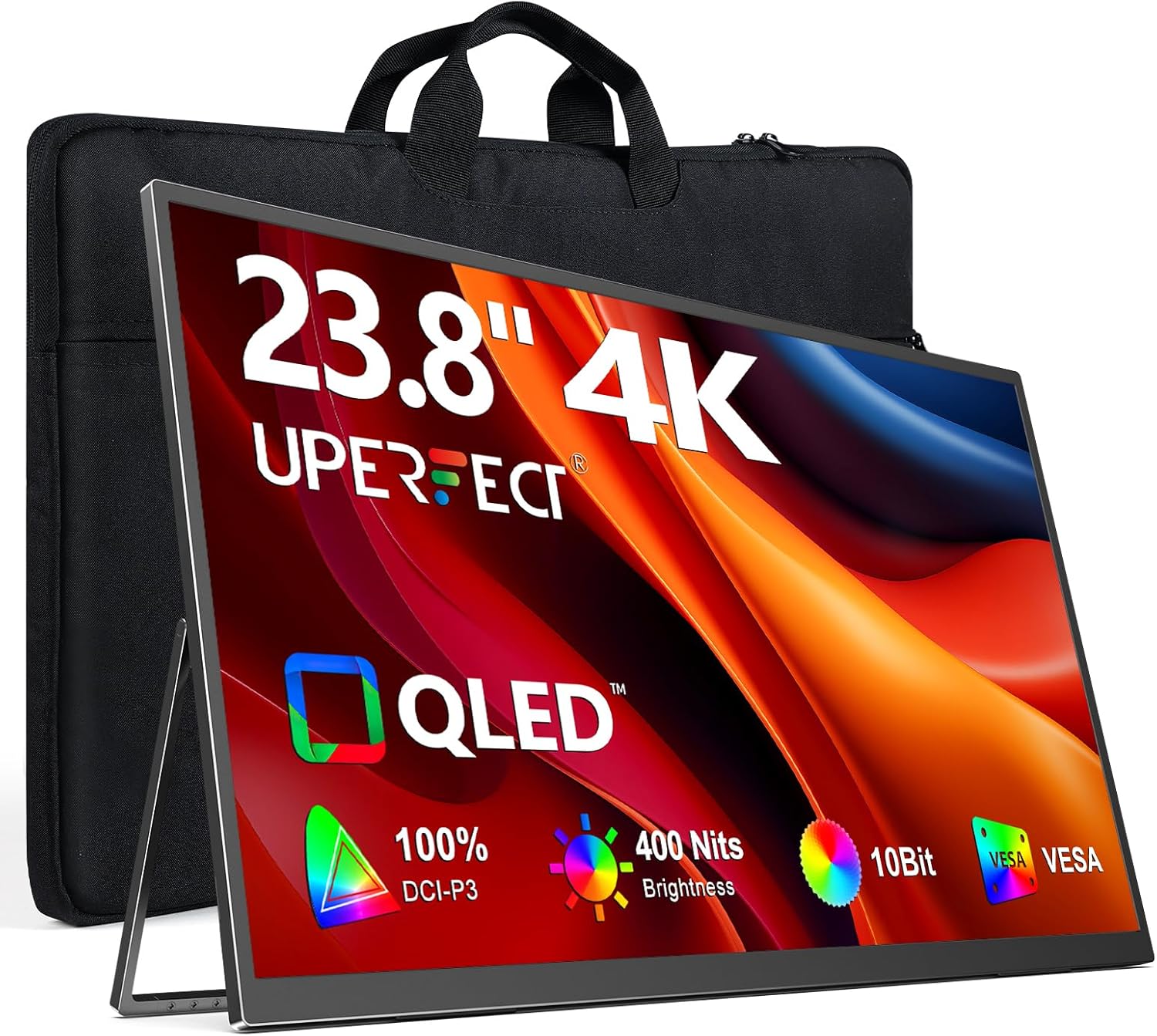
The Uperfect 15.6” 4K (model U1604) features a 3840×2160 IPS display with 100% sRGB coverage, dual USB-C ports with full-featured DP Alt Mode, and a built-in kickstand case. Available in both glossy and matte screen finish variants, it targets remote workers and photographers who need color-accurate second displays for their laptops.
Specifications
| Spec | Uperfect 15.6” 4K | Arzopa A1 15.6” 4K | ViewSonic TD1655 |
|---|---|---|---|
| Price | ¥1,399 (~$196) | ¥1,299 (~$182) | ¥2,599 (~$364) |
| Screen Size | 15.6” | 15.6” | 15.6” |
| Resolution | 3840×2160 (4K) | 3840×2160 (4K) | 1920×1080 (FHD) |
| Panel Type | IPS | IPS | IPS |
| Brightness | 400 cd/m² | 340 cd/m² | 300 cd/m² |
| Color Gamut | 100% sRGB | 90% sRGB | 72% NTSC |
| Refresh Rate | 60Hz | 60Hz | 60Hz |
| Connectivity | 2× USB-C (DP Alt), mini-HDMI | 2× USB-C, mini-HDMI | 2× USB-C, HDMI |
| Speakers | 2× 1W | 2× 1W | 2× 0.8W |
| Weight | 780g | 760g | 1,000g |
| Thickness | 5.2mm | 5.5mm | 8.5mm |
| Stand/Case | Magnetic folio cover | Magnetic folio cover | Built-in stand |
Design and Build Quality
The Uperfect 15.6” 4K is remarkably thin at 5.2mm — thinner than most modern smartphones. The front panel is edge-to-edge glass with 4mm bezels on three sides and a slightly larger 15mm chin on the bottom. The rear is a dark gray aluminum unibody with a brushed finish and the Uperfect logo centered at the bottom.
The included magnetic folio cover serves as both screen protection and stand. The cover folds into a triangular support with two viewing angles: approximately 55° (for desk use) and 35° (for laptop-lid placement). The magnets are strong enough that the monitor stays stable during touch interaction, but the cover is not detachable — the monitor is always carried with its case.
Connectivity is arranged on the left side: two USB-C ports (both support DP Alt Mode and power input) and a mini-HDMI port. The right side has a single headphone jack and a jog dial for OSD menu navigation. The OSD (On-Screen Display) menu is controlled by the single jog dial — press to enter, rotate to navigate, press to confirm. The menu covers brightness (0–100), contrast, color temperature presets, and input source selection.
The 4K panel delivers 400 cd/m² peak brightness — noticeably bright for indoor use and usable in medium-bright environments. Color coverage measured with a SpyderX Pro showed 99.2% sRGB and 78% DCI-P3, slightly below the claimed 100% but still good for a monitor at this price. Delta E average was 2.1 — acceptable for general photography work but not suitable for professional color grading.
One limitation: the monitor supports 4K@60Hz through USB-C DP Alt Mode, but the mini-HDMI port is limited to HDMI 1.4 (4K@30Hz). Users connecting via HDMI need to be aware of this limitation, or they’ll wonder why their display looks stuttery.
Performance Testing
Connected to a MacBook Pro M4 via single USB-C cable (4K@60Hz + power delivery pass-through to the laptop), the Uperfect monitor powered up instantly and displayed at native 4K resolution with no configuration needed. The single-cable setup works when the power adapter is connected to the second USB-C port, which then powers both the monitor and the laptop.
Color accuracy testing with CalMAN showed an average Delta E of 2.1 with the “Standard” color mode — good for general use. The “sRGB” mode improved Delta E to 1.5 but clipped some highlights. Neither mode is calibrated per-unit, so color-critical work requires individual calibration.
Viewing angles are typical IPS — contrast drops noticeably at extreme 170° angles but remains usable. The matte screen version handles reflections well, while the glossy version has better perceived contrast but creates visible reflections in bright rooms.
Ghosting and response time are unremarkable at 60Hz — this is a productivity monitor, not a gaming display. Pixel response measures around 14ms gray-to-gray, with visible motion blur in fast-scrolling content.
What Chinese Users Say
“I bought this for photo editing while traveling and it’s been fantastic. Plugged into my MacBook Air M3, I edit 45MP RAW files side by side on both screens. The 4K resolution is genuinely useful — I can see full-resolution images without zooming.” — JD.com user
“The price difference between this and a Dell 4K monitor is huge. The Uperfect does 90% of what I need for ¥1,399. Only complaints: the mini-HDMI is limited to 30Hz at 4K and the OSD is a bit clunky to use.” — Taobao user
“Used as a second screen for coding. 4K at 15.6 inches makes text incredibly sharp — comparable to MacBook’s retina display. The blue light filter mode is a nice touch for late-night programming.” — SMZDM user
Pros and Cons
Pros
- True 4K 3840×2160 resolution with genuine 400 cd/m² brightness
- Ultra-slim 5.2mm profile — thinner than most competitors
- Dual USB-C with DP Alt Mode supports single-cable connection
- 99% sRGB coverage with decent factory calibration
- Magnetic folio cover protects screen and functions as adjustable stand
Cons
- mini-HDMI limited to HDMI 1.4 (4K@30Hz) — confusing for users expecting 60Hz
- No HDR support despite 4K panel — lacks wide color gamut for HDR content
- 60Hz only — no high refresh rate option for gaming
- OSD is basic and controlled by a single stiff jog dial
- Built-in speakers are weak (2× 1W) — external speakers or headphones recommended
vs Competitors
| Metric | Uperfect 15.6” 4K | Arzopa A1 4K | ViewSonic TD1655 |
|---|---|---|---|
| Price | ¥1,399 (~$196) | ¥1,299 (~$182) | ¥2,599 (~$364) |
| Resolution | 4K (3840×2160) | 4K (3840×2160) | FHD (1920×1080) |
| Brightness | 400 cd/m² | 340 cd/m² | 300 cd/m² |
| USB-C | 2× (DP Alt + PD) | 2× (DP Alt + PD) | 2× (DP Alt + PD) |
The Uperfect offers the best combination of 4K resolution and brightness at its price point. The Arzopa A1 is slightly cheaper but dimmer. The ViewSonic is 86% more expensive with only a 1080p panel — its value proposition only makes sense for users who need the built-in stand or brand warranty for professional deployments.
FAQ
Q1: Does the Uperfect 4K support single-cable connection to MacBooks? Yes. When connected via USB-C to a MacBook Pro or Air, a single cable carries 4K@60Hz video + audio + touch (if applicable). Power delivery from a connected adapter passes through to the laptop, enabling a true single-cable docking experience.
Q2: Can I play games on this monitor? The 60Hz refresh rate and ~14ms response time make it acceptable for casual and single-player games (RPGs, strategy, narrative games). Competitive gaming (FPS, fighting games) is better on a high-refresh monitor. 4K resolution at 60Hz is fine for console gaming.
Q3: Is the 4K resolution actually noticeable at 15.6 inches? Yes. At 282 PPI, the Uperfect 4K panel provides retina-class sharpness comparable to a MacBook Pro’s display (227 PPI for 14” MacBook Pro). Text is noticeably sharper than 1080p portable monitors. For photo editing, it’s genuinely useful — you can view full-resolution images and see individual pixels at 100% zoom.
Q4: Can this monitor charge my laptop? The monitor supports USB-C Power Delivery passthrough to the host device. Connect a USB-C PD adapter (up to 60W) to the second USB-C port, and the monitor will pass power through to your laptop via the data USB-C connection.
Who Should Buy / Who Should Skip
Buy this if: You need an affordable 4K second screen for photo editing, coding, or document work on the go. The combination of 4K resolution, decent color accuracy, and slim design makes it ideal for digital nomads and traveling professionals.
Skip this if: You need 120Hz+ for gaming (look for 144Hz portable monitors), require professional-grade color calibration (Delta E <1.0), or want a monitor with built-in battery (Uperfect’s 4K does not have integrated battery). Also skip if HDMI 60Hz is critical — use USB-C for full performance.
Rating
Overall: ⭐⭐⭐⭐⭐⭐⭐⭐☆☆ (7.8/10)
- Display Quality: 8.5/10 — excellent 4K IPS for the price
- Build Quality: 8.0/10 — thin aluminum, good kickstand
- Portability: 9.0/10 — ultra-slim, lightweight
- Connectivity: 7.0/10 — USB-C great, mini-HDMI 1.4 limits
- Value: 8.5/10 — strong for 4K at this price point
Not sure which to choose?
Compare specs side-by-side with our Product Comparator Tool
Related Reviews
Anker MagGo 10K Slim Review 2026
Anker MagGo 10K Slim offers ultra-thin wireless power with MagSafe compatibility. We tested charge speed, heat managemen
Anker PowerHouse 535 Review: The 512Wh Multi-Day Power Solution
Anker PowerHouse 535 has 15,000+ reviews on JD.com with a 4.6/5 rating at ¥2,099 ($291). Users love the well-designed in
ARZOPA S1 Table Monitor Review: The Portable Screen That Doubles as a Desk Display
The ARZOPA S1 Table Monitor offers a 15.6-inch 1080p IPS display with dual USB-C connectivity and built-in kickstand. 4.
Baseus 600W Portable Power Station Review: Compact LFP Power for Outdoor Adventures
Baseus enters the portable power station market with a compact LFP (LiFePO4) unit. With 2,100+ reviews on JD.com and 94%
Baseus Portable Fan Review: The Clip-On Camping Breeze
Baseus portable clip-on fan has 80,000+ reviews on JD.com with a 4.5/5 rating at ¥49 ($7). Users love the powerful airfl