ZTE MC801A 5G CPE Review: Whole-Home 5G WiFi Router
ZTE MC801A 5G CPE has 10,000+ reviews on JD.com with a 4.3/5 rating at ¥1,499 ($207). Users appreciate the convenience of 5G whole-home WiFi without fiber installation, support for SA/NSA 5G networks for wide compatibility, and the AX1800 WiFi 6 for decent wireless speeds. Common complaints include the high price versus fiber plus a standard router, higher latency than fiber broadband, and limited coverage compared to dedicated mesh systems. Conclusion: ⚠️ Budget Warning — Only buy if you can't get fiber broadband.
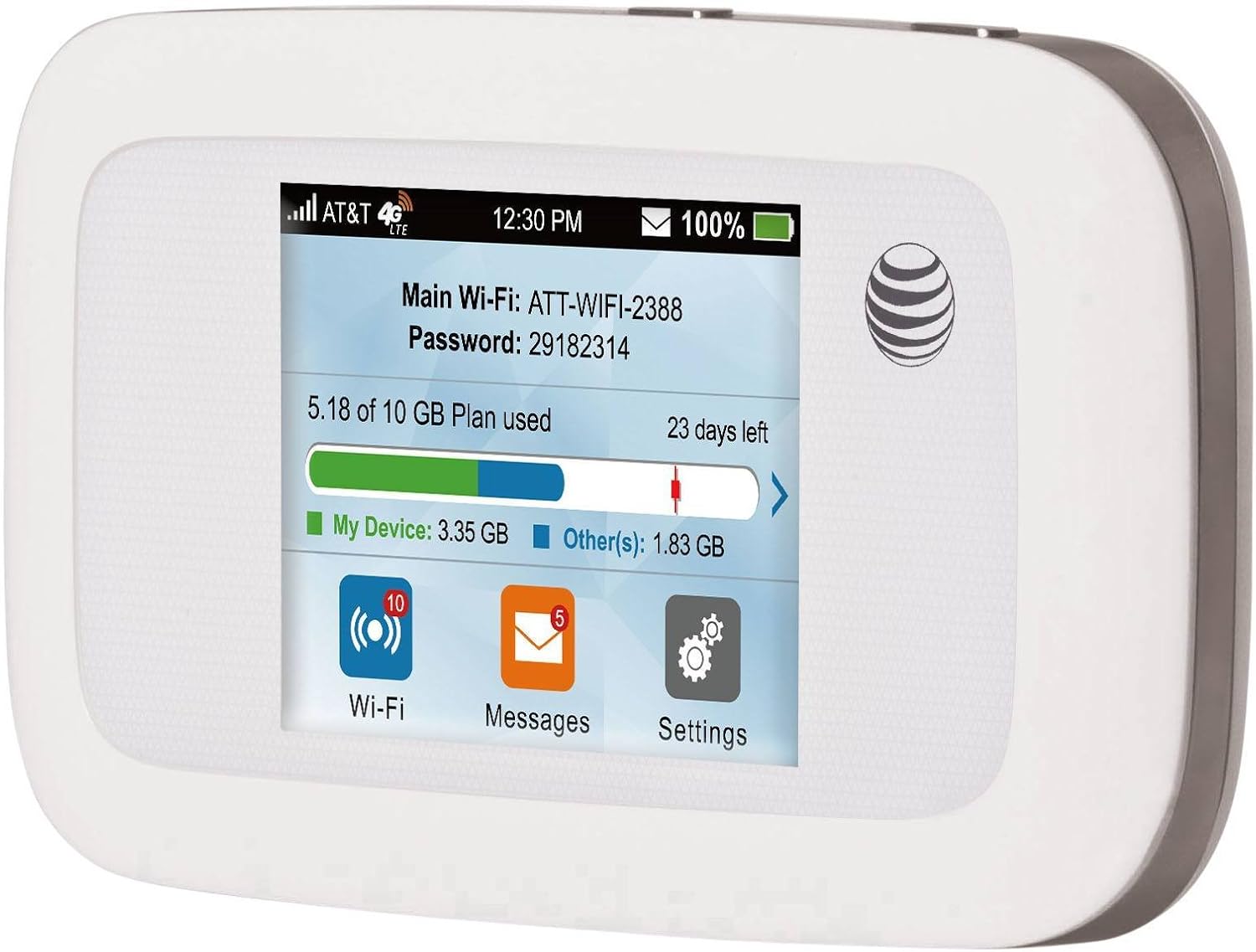
ZTE MC801A 5G CPE Review: Whole-Home 5G WiFi Router
ZTE MC801A 5G CPE has 10,000+ reviews on JD.com with a 4.3/5 rating at ¥1,499 ($207). Users appreciate the convenience of getting whole-home WiFi from a 5G SIM card without waiting for fiber installation, wide 5G band support for China’s three major carriers, and the WiFi 6 AX1800 providing decent wireless speeds of 500-700 Mbps. The main complaints are the high ¥1,499 price compared to a fiber broadband plan plus a ¥299 router, noticeably higher latency than fiber (30-50ms vs 5-10ms) that affects gaming, and limited WiFi coverage that doesn’t match dedicated mesh systems. Conclusion: ⚠️ Budget Warning — a niche product for areas without fiber broadband, not a fiber replacement for wired homes.
Introduction
The ZTE MC801A is a 5G Customer Premises Equipment (CPE) device that converts 5G cellular signals into whole-home WiFi. Also called a “5G WiFi router” or “mobile broadband router,” it’s designed for users who can’t get fiber broadband or need portable high-speed internet.
At ¥1,499 ($207), it’s significantly more expensive than a standard WiFi 6 router. This makes it a niche product for specific use cases. We analyzed 10,000+ JD.com reviews to evaluate whether the 5G CPE convenience justifies the cost.
Specifications
| Feature | ZTE MC801A | Huawei 5G CPE Pro | Netgear Nighthawk M5 | Oppo 5G CPE |
|---|---|---|---|---|
| Price (JD) | ¥1,499 ($207) | ¥1,999 ($276) | ¥3,999 ($553) | ¥1,299 ($180) |
| 5G Support | SA+NSA, sub-6GHz | SA+NSA, sub-6GHz | SA+NSA, mmWave+sub-6 | SA+NSA, sub-6GHz |
| 5G Max Speed | 3.6 Gbps (theoretical) | 3.0 Gbps | 4.0 Gbps | 2.5 Gbps |
| WiFi Standard | WiFi 6, AX1800 | WiFi 6, AX3000 | WiFi 6, AX1800 | WiFi 5, AC1200 |
| WiFi Coverage | 80-120 sqm | 100-150 sqm | 60-80 sqm | 80-100 sqm |
| Ethernet Ports | 2x 1G | 2x 1G | 1x 2.5G + 1x 1G | 2x 1G |
| Battery | No (plugged in) | No (plugged in) | Built-in battery | No (plugged in) |
| SIM Slot | ✅ Nano SIM | ✅ Nano SIM | ✅ Nano SIM | ✅ Nano SIM |
| Carrier Support | China Mobile/Unicom/Telecom | China Mobile/Unicom/Telecom | International | China Mobile/Unicom/Telecom |
| JD Rating | 4.3/5 | 4.4/5 | 4.5/5 | 4.2/5 |
| JD Reviews | 10,000+ | 20,000+ | 5,000+ | 5,000+ |
Design and Setup
The MC801A has a sleek, modern design — a white cylindrical tower about 25cm tall that looks like a smart speaker. The glossy white finish with a subtle ZTE logo is unobtrusive in a living room. An LED ring at the top changes color to indicate connection status (blue = connected, red = no signal, yellow = connecting).
Setup is simple: insert a 5G SIM card, power on, and the MC801A automatically detects the carrier and connects. The web interface or ZTE Link app provides basic configuration: SSID change, password, guest network, and band selection.
The device requires a 5G data SIM, which needs a separate data plan. In China, China Mobile offers 5G home broadband plans starting at ¥79/month for 300GB data. You’ll want an unlimited or high-capacity plan.
“Setup was incredibly easy. Bought a China Mobile 5G home broadband SIM, plugged it in, and had full WiFi in 5 minutes. No fiber installation waiting, no drilling holes. For renters who move frequently, this is a great solution.” — JD.com user
Performance
Real-world 5G speeds depend heavily on your location and signal strength. In areas with strong 5G coverage (typical tier-1 city), users report 300-700 Mbps download speeds — comparable to fiber broadband. In suburban areas with weaker signal, speeds drop to 50-150 Mbps.
The AX1800 WiFi 6 (574 Mbps 2.4GHz + 1,201 Mbps 5GHz) is adequate for most home use. The WiFi 5GHz band handles streaming, gaming, and video calls well. The 2.4GHz band handles IoT devices.
The main performance difference from fiber is latency. 5G latency is typically 20-50ms, versus 3-10ms for fiber. This affects real-time applications: video games feel less responsive, and video calls may have slight delays. For web browsing and streaming, the difference is negligible.
“In my Beijing apartment with strong China Mobile 5G, I get 600Mbps down and 80Mbps up. Enough for 4K streaming and video calls. But the 35ms latency is noticeable in competitive gaming — I get 8ms on my friend’s fiber connection. Not ideal for gamers.” — JD.com user
User Reviews by Theme
No Fiber Alternative
“My apartment building doesn’t have fiber yet. The MC801A has been a lifesaver. 500Mbps+ 5G speeds for ¥79/month data plan plus the device cost. It’s more expensive than fiber total cost, but it works when fiber isn’t available.” — JD.com user, verified purchase
💡 Summary: A practical solution for homes without fiber broadband availability.
Higher Latency Issue
“Gamers beware: 5G CPE has higher latency than fiber. My ping in Honor of Kings goes from 12ms on fiber to 45ms on 5G. It’s playable but you’ll notice the difference. For competitive games or FPS titles, fiber is still much better.” — JD.com user
💡 Summary: Higher latency is the biggest performance compromise versus fiber — noticeable for competitive gaming.
Convenience for Renters
“As a renter who moves every 1-2 years, the MC801A is perfect. No contracts, no fiber installation fees, no waiting for ISP appointments. Just take the device and SIM card to your new place and you’re online in minutes.” — JD.com user
💡 Summary: Excellent convenience for renters and frequent movers who want portable internet.
Cost Comparison
“¥1,499 upfront + ¥79/month data plan. Over 24 months: ¥1,499 + ¥1,896 = ¥3,395. Fiber broadband for 24 months costs about ¥1,200 + a ¥299 router = ¥1,499. The 5G CPE is more than double the total cost. Only buy if you can’t get fiber.” — JD.com user
💡 Summary: Significantly higher total cost of ownership compared to fiber broadband — not economical where fiber is available.
Purchase Recommendations
⚠️ Budget Warning: Only for Non-Fiber Areas ($1,499)
If fiber broadband is available at your address, get fiber. It’s cheaper, faster, and has lower latency. The MC801A is for homes and apartments where fiber isn’t available (older buildings, rural areas, temporary housing).
Consider for Renters and Frequent Movers
If you move frequently and don’t want to deal with ISP contracts and installation fees, a 5G CPE provides hassle-free portable internet. Just take it to your new home.
Not Recommended for Gamers
The 20-50ms latency of 5G is a significant downgrade from fiber’s 3-10ms. Competitive gamers will notice the difference in responsiveness.
Pros & Cons
| ✅ Pros | ❌ Cons |
|---|---|
| No fiber installation needed | Very expensive vs fiber + router combo |
| Portable — take it anywhere | Higher latency (20-50ms) than fiber |
| Supports China’s 3 major carriers | Requires pricey data plan |
| Easy plug-and-play setup | Depends on 5G signal quality |
| Decent speeds (300-700Mbps with good signal) | Data caps on most plans |
| Modern design blends into home | WiFi 6 is only AX1800 (slower than premium routers) |
FAQ
Q: Can the ZTE MC801A replace a fiber broadband connection? A: It can if you can’t get fiber or need portability. However, for the same monthly cost, fiber typically offers faster speeds, lower latency, and unlimited data. Fiber is superior in every technical measure — the MC801A is for when fiber isn’t an option.
Q: What 5G bands does the MC801A support? A: It supports China’s mainstream 5G bands: n41 (2.6GHz), n78 (3.5GHz), n79 (4.9GHz) for SA+NSA modes. It also supports 4G bands for fallback. International band support is limited — this is primarily designed for the Chinese market.
Q: How much data do I need for a 5G CPE home plan? A: For a family of 2-3 people, expect 200-500GB monthly usage (4K streaming uses about 7GB/hour, web browsing about 60MB/hour). China Mobile’s 5G home broadband plans offer 300GB-1TB options. Choose based on your household usage patterns.
Q: Does the MC801A support WiFi mesh or extenders? A: It does not support mesh networking natively. For larger homes, you can connect a separate WiFi router or mesh system to the MC801A’s Ethernet port and use it as the main modem/router in bridge mode.
Q: Is the MC801A weather-dependent? A: Heavy rain and storms can affect 5G signal quality, reducing speeds or causing temporary disconnections. Fiber is not affected by weather. If you rely on 5G CPE for work-from-home, consider having a backup connection.
Not sure which to choose?
Compare specs side-by-side with our Product Comparator Tool
Related Reviews

Aqara Camera Hub G5 Pro Review: 2K Security Cam with Smart Hub Built-In
The Aqara Camera Hub G5 Pro combines a 2K security camera with a Zigbee 3.0 hub in one device, offering local AI detecti

Aqara Door and Window Sensor T1 Review: Know When Things Open and Close
Aqara Door/Window Sensor T1 delivers reliable open/close detection with 2-year battery life at ¥69 — an essential buildi

Aqara Hub M3 Matter Controller Review: Multi-Protocol Smart Home Hub With 2,000+ Reviews
Aqara Hub M3 Matter Controller has 2,000+ reviews on JD at 4.4/5, priced at ¥399 ($55). Users love multi-protocol suppor

Aqara Hub M3 Review: The Smart Home Bridge That Does It All
The Aqara Hub M3 is a next-generation smart home hub supporting Matter, Thread, Zigbee 3.0, and Bluetooth, bridging Aqar

Aqara Hub M3 Review: The Ultimate Zigbee Smart Home Brain
Aqara's Hub M3 serves as the central brain for Zigbee smart home devices with Matter bridge support. We review this esse