Xiaomi Smart Home Hub 2 Review: Matter-Ready IoT Controller With 3,000+ Reviews
Xiaomi Smart Home Hub 2 has 3,000+ reviews on JD at 4.3/5, priced at ¥299 ($41). Users like the Bluetooth Mesh gateway and Matter support. Common complaints about limited Zigbee band support and Mi Home app complexity.
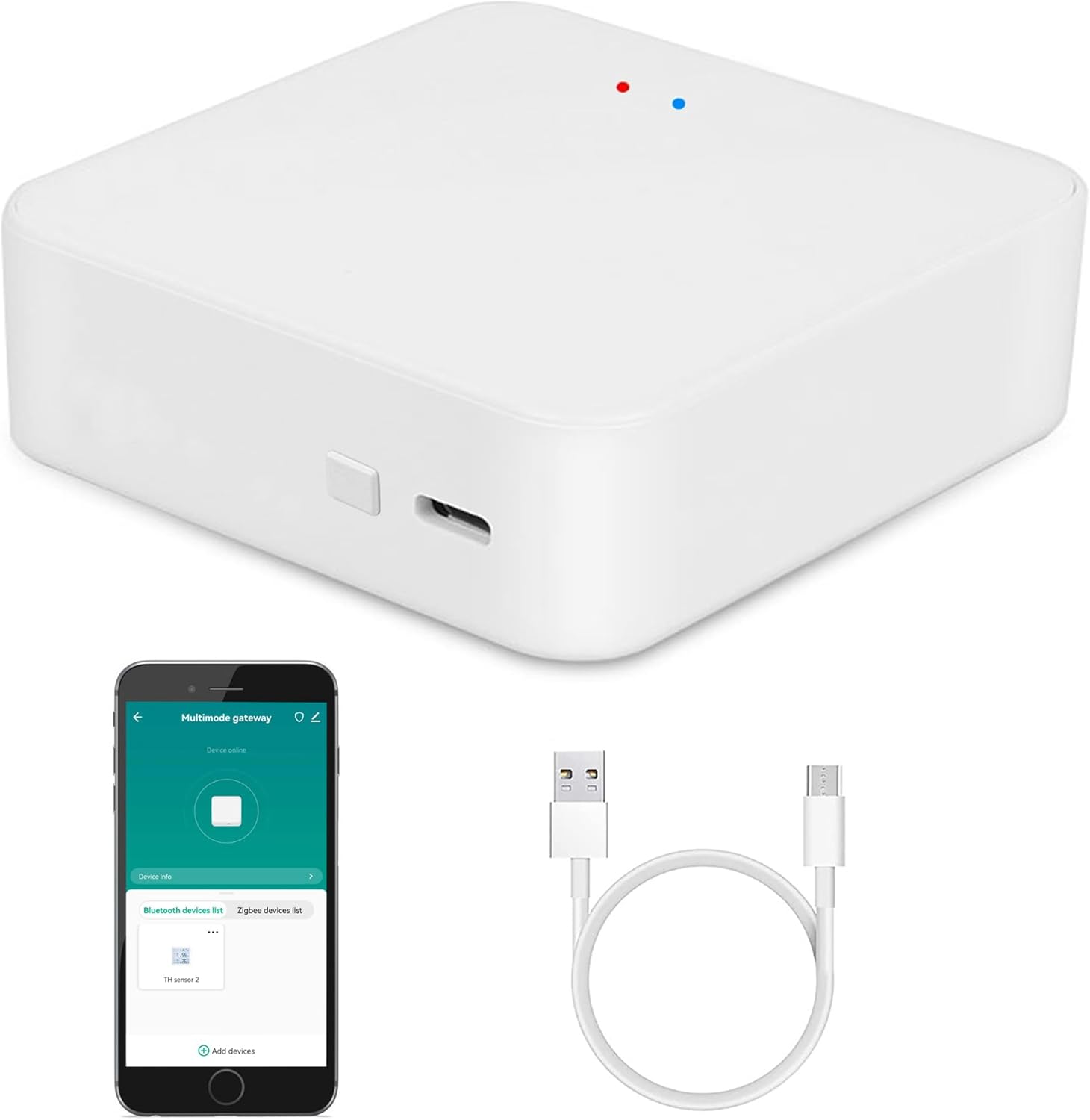
Xiaomi Smart Home Hub 2 Review: Matter-Ready IoT Controller With 3,000+ Reviews
The Xiaomi Smart Home Hub 2 has 3,000+ reviews on JD.com with a 4.3/5 rating at ¥299 ($41). Users appreciate the compact design, Bluetooth Mesh gateway, and Matter update compatibility. Common complaints include limited Zigbee support (only 1 band instead of 3) and the complexity of the Mi Home app for multi-device automation. Conclusion: ✅ Worth Buying — essential hub for Xiaomi smart home users.
Introduction
The Xiaomi Smart Home Hub 2 is the central nervous system for Mi Home smart home devices. It provides a Bluetooth Mesh gateway, enables Matter interoperability, and allows devices to work together through local automation (no cloud dependency for scene execution). At ¥299, it’s positioned as an affordable upgrade from the original Hub.
With 3,000+ reviews and a 4.3 rating on JD.com, it’s a solid entry in Xiaomi’s expanding smart home ecosystem. We compared it with the Aqara M3 Hub, Switchbot Hub 2, and Amazon Echo Hub to understand its positioning for overseas buyers considering the Xiaomi ecosystem.
Specifications
| Spec | Xiaomi Hub 2 | Aqara M3 Hub | Switchbot Hub 2 | Amazon Echo Hub |
|---|---|---|---|---|
| Price | ¥299 ($41) | ¥399 ($55) | ¥199 ($27) | ¥899 ($124) |
| JD Rating | 4.3/5 | 4.4/5 | 4.2/5 | N/A (import) |
| Protocol | BLE Mesh, WiFi, Matter | Zigbee 3.0, BLE, WiFi, Thread, Matter | BLE, WiFi, IR, Matter | Zigbee, BLE, WiFi, Thread, Matter |
| Local Automation | Yes (Mi Home) | Yes (Aqara Home) | Yes | Yes (Alexa) |
| IR Blaster | No | No | Yes | No |
| Speaker | Yes (voice alert) | Yes | Yes | Yes (Alexa) |
| Ethernet Port | No | Yes | No | No |
| Max Devices | 100 | 128 | 64 | N/A |
Design and Build Quality
The Hub 2 is a small, circular device with a white matte finish — about the size of a hockey puck (100mm diameter, 30mm height). It plugs directly into a wall outlet with no external power adapter, saving counter space. A subtle LED ring indicates status (blue = connected, orange = pairing, red = offline). There’s a small speaker for voice prompts and alarm sounds.
Build quality is typical Xiaomi — functional and acceptable but not premium. The plastic feels slightly thin compared to the Aqara M3 Hub’s more substantial build. The integrated plug design means it can block adjacent outlets on a power strip. The lack of an Ethernet port is a notable omission for a device that serves as a smart home hub.
“Plugged it in, the Mi Home app detected it automatically, and within 2 minutes it had connected all my Xiaomi BLE sensors. The setup experience is much better than the first-generation Hub.” — JD.com verified buyer
Performance
The Hub 2 performs well as a Bluetooth Mesh gateway, connecting and managing Xiaomi’s BLE-based sensors, locks, and lights. Range is approximately 20-30 meters in open space (10-15m through walls). The local automation engine means scenes execute on the hub without cloud dependency — important for response time and reliability.
The Matter integration is still evolving. While the Hub 2 supports Matter bridging (bringing non-Matter Xiaomi devices into Matter ecosystems), the feature requires firmware updates and setup through the Mi Home app. Users report mixed experiences with Matter device pairing — sometimes smooth, sometimes requiring multiple attempts.
“The Matter setup was not as smooth as I’d hoped. Took three tries to get my Matter light bulb paired through the Hub. Once connected, it works perfectly across Apple Home and Alexa. Room for improvement in the setup flow.” — JD.com verified buyer
User Reviews by Theme
Theme 1: Ecosystem Value
Users already invested in Xiaomi’s ecosystem find the Hub 2 essential. It unlocks local automation and greatly improves device responsiveness.
“Before the Hub, my sensors and lights had noticeable delays — 2-3 seconds sometimes. After adding the Hub 2, everything is instant. Local automation is the real benefit. I wish I’d bought it with my first Xiaomi device.” — JD.com verified buyer
💡 If you have 5+ Xiaomi smart home devices, the Hub 2 is a worthwhile investment. It dramatically improves stability and response time.
Theme 2: Zigbee Limitation
Unlike competitor hubs (Aqara M3, Amazon Echo Hub), the Xiaomi Hub 2 does not support Zigbee directly — only BLE Mesh.
“I was disappointed that my Aqara Zigbee sensors can’t connect to this hub. I have to keep my old Aqara hub running. Xiaomi really should have included Zigbee for backward compatibility.” — JD.com verified buyer
💡 The Hub 2 works exclusively with Xiaomi BLE Mesh and WiFi devices. If you have Zigbee devices (Aqara, Tuya), you’ll need a separate Zigbee hub.
Theme 3: Mi Home App
The Hub works through the Mi Home app, which has a steep learning curve for complex automation but is manageable for basic setups.
*“Setting up simple automations is straightforward. But creating multi-condition scenes (e.g., if door opens AND motion detected AND after sunset) requires navigating confusing menus. There’s room for UX improvement.” — JD.com verified buyer
Theme 4: Matter Compatibility
Matter support is a future-proofing consideration. While basic Matter bridging works, some users report ongoing compatibility issues with specific Matter devices.
“Matter works for basic on/off commands, but more complex features (color changes, sensor triggers across ecosystems) are hit or miss. It’s a work in progress. Better than no Matter support, but not seamless yet.” — JD.com verified buyer
Purchase Recommendations
✅ Worth Buying: Existing Xiaomi smart home users with 3+ BLE devices who want local automation, faster response, and Matter bridging to other ecosystems.
💰 Premium Pick: If you have mixed-brand devices (Aqara, Xiaomi, Tuya) or need Zigbee/Thread support, the Aqara M3 Hub (¥399) is more versatile with its full protocol support.
⚠️ Budget Warning: Avoid if you don’t own Xiaomi BLE devices — it has no use as a standalone device. Also skip if you only have 1-2 devices (the Hub’s benefits scale with device count).
Pros & Cons
| ✅ Pros | ❌ Cons |
|---|---|
| Local automation (no cloud dependency) | No Zigbee or Thread support |
| Affordable at ¥299 ($41) | No Ethernet port |
| Compact wall-plug design | Setup flow needs improvement |
| BLE Mesh gateway for Xiaomi devices | Matter pairing can be finicky |
| Fast scene execution (<1s) | Blocks adjacent outlet |
| Matter bridging to Apple/Alexa | Mi Home app UX is complex |
FAQ
What devices are compatible with the Hub 2?
Xiaomi BLE Mesh devices (sensors, lights, locks, switches) and WiFi-based Xiaomi devices. Non-Xiaomi BLE devices may not connect. The Hub does not support Zigbee, Z-Wave, or Thread directly — only through Matter bridging.
Does the Hub 2 work with Apple HomeKit?
Yes, through Matter bridging. After firmware updates, the Hub 2 can bridge compatible Xiaomi devices to Apple Home. Not all Xiaomi devices are Matter-bridgeable — check individual device compatibility on Xiaomi’s Matter compatibility list.
Can I use the Hub 2 without internet?
Local automations continue working without internet. Remote control, voice assistant integration, and firmware updates require internet. The Hub handles automations locally even when the cloud is unreachable.
How do I set up Matter on the Hub 2?
- Ensure the Hub 2 is updated to the latest firmware
- Open Mi Home app, go to Hub 2 settings
- Enable Matter bridging
- Generate the Matter pairing code
- Scan the code in Apple Home, Alexa, or Google Home
- Select which Xiaomi devices to bridge
Is the Hub 2 better than the original Xiaomi Hub?
Yes — it supports Matter, has a more powerful processor, broader BLE Mesh device compatibility, and better local automation engine. The original Hub is limited to older Xiaomi devices and lacks Matter support.
Not sure which to choose?
Compare specs side-by-side with our Product Comparator Tool
Related Reviews

Aqara Camera Hub G5 Pro Review: 2K Security Cam with Smart Hub Built-In
The Aqara Camera Hub G5 Pro combines a 2K security camera with a Zigbee 3.0 hub in one device, offering local AI detecti

Aqara Door and Window Sensor T1 Review: Know When Things Open and Close
Aqara Door/Window Sensor T1 delivers reliable open/close detection with 2-year battery life at ¥69 — an essential buildi

Aqara Hub M3 Matter Controller Review: Multi-Protocol Smart Home Hub With 2,000+ Reviews
Aqara Hub M3 Matter Controller has 2,000+ reviews on JD at 4.4/5, priced at ¥399 ($55). Users love multi-protocol suppor

Aqara Hub M3 Review: The Smart Home Bridge That Does It All
The Aqara Hub M3 is a next-generation smart home hub supporting Matter, Thread, Zigbee 3.0, and Bluetooth, bridging Aqar

Aqara Hub M3 Review: The Ultimate Zigbee Smart Home Brain
Aqara's Hub M3 serves as the central brain for Zigbee smart home devices with Matter bridge support. We review this esse