Xiaomi Router BE7000 Review: Affordable WiFi 7 Tri-Band
Xiaomi Router BE7000 has 10,000+ reviews on JD.com with a 4.3/5 rating at ¥899 ($124). Users praise the affordable WiFi 7 entry point with tri-band support and 2.5G WAN port, excellent for early adopters on a budget. Common complaints include the single 2.5G port being insufficient for multi-device setups, lack of native mesh support requiring Xiaomi ecosystem routers, and range being adequate but not exceptional. Conclusion: ✅ Worth Buying — the best budget entry into WiFi 7.
Xiaomi Router BE7000 Review: Affordable WiFi 7 Tri-Band
Xiaomi Router BE7000 has 10,000+ reviews on JD.com with a 4.3/5 rating at ¥899 ($124). Users appreciate the affordable entry point into WiFi 7 with tri-band support (2.4+5+6GHz) and a 2.5G WAN port that can handle gigabit+ internet plans. Common complaints include the single 2.5G port making multi-gigabit LAN connections difficult without a switch, the lack of easy mesh integration with non-Xiaomi routers, and range that’s good but not exceptional compared to dedicated mesh systems. Conclusion: ✅ Worth Buying — the best budget WiFi 7 router for early adopters who want future-proofing without breaking the bank.
Introduction
The Xiaomi Router BE7000 brings WiFi 7 technology to the masses with its ¥899 ($124) price tag. As one of the most affordable WiFi 7 routers available, it targets users who want to future-proof their home network without spending ¥2,000+ on a premium router or mesh system.
With tri-band WiFi 7 (2.4GHz + 5GHz + 6GHz), a 2.5G WAN port, and Qualcomm chipset, it promises theoretical speeds up to 7.2Gbps. But where does Xiaomi cut corners to reach this price? We analyzed 10,000+ JD.com reviews to find out.
Specifications
| Feature | Xiaomi BE7000 | TP-Link BE65 (1 unit) | Asus RT-BE96U | Huawei AX3 Pro |
|---|---|---|---|---|
| Price (JD) | ¥899 ($124) | ¥899 (single node, $124) | ¥3,999 ($553) | ¥299 ($41) |
| WiFi Standard | WiFi 7, BE7000 | WiFi 7, BE11000 | WiFi 7, BE19000 | WiFi 6+, AX3000 |
| Bands | Tri-band (2.4+5+6GHz) | Tri-band (2.4+5+6GHz) | Dual-band (2.4+5GHz) | Dual-band (2.4+5GHz) |
| WAN Port | 1x 2.5G | 2x 2.5G | 1x 10G + 4x 2.5G | 1x 1G |
| LAN Ports | 3x 1G | 1x 1G + 1x 2.5G | See above | 3x 1G |
| USB | ✅ USB 3.0 | ❌ | ✅ USB 3.0 | ❌ |
| Mesh | ✅ Xiaomi mesh | ✅ Deco mesh | ✅ AiMesh | ✅ Huawei mesh |
| Processor | Qualcomm IPQ 5322 | Qualcomm | Broadcom | Huawei Hi5651T |
| Antennas | 6 external | Internal | 6 external | 4 external |
| JD Rating | 4.3/5 | 4.5/5 | 4.6/5 | 4.5/5 |
| JD Reviews | 10,000+ | 5,000+ | 2,000+ | 500,000+ |
Design and Build
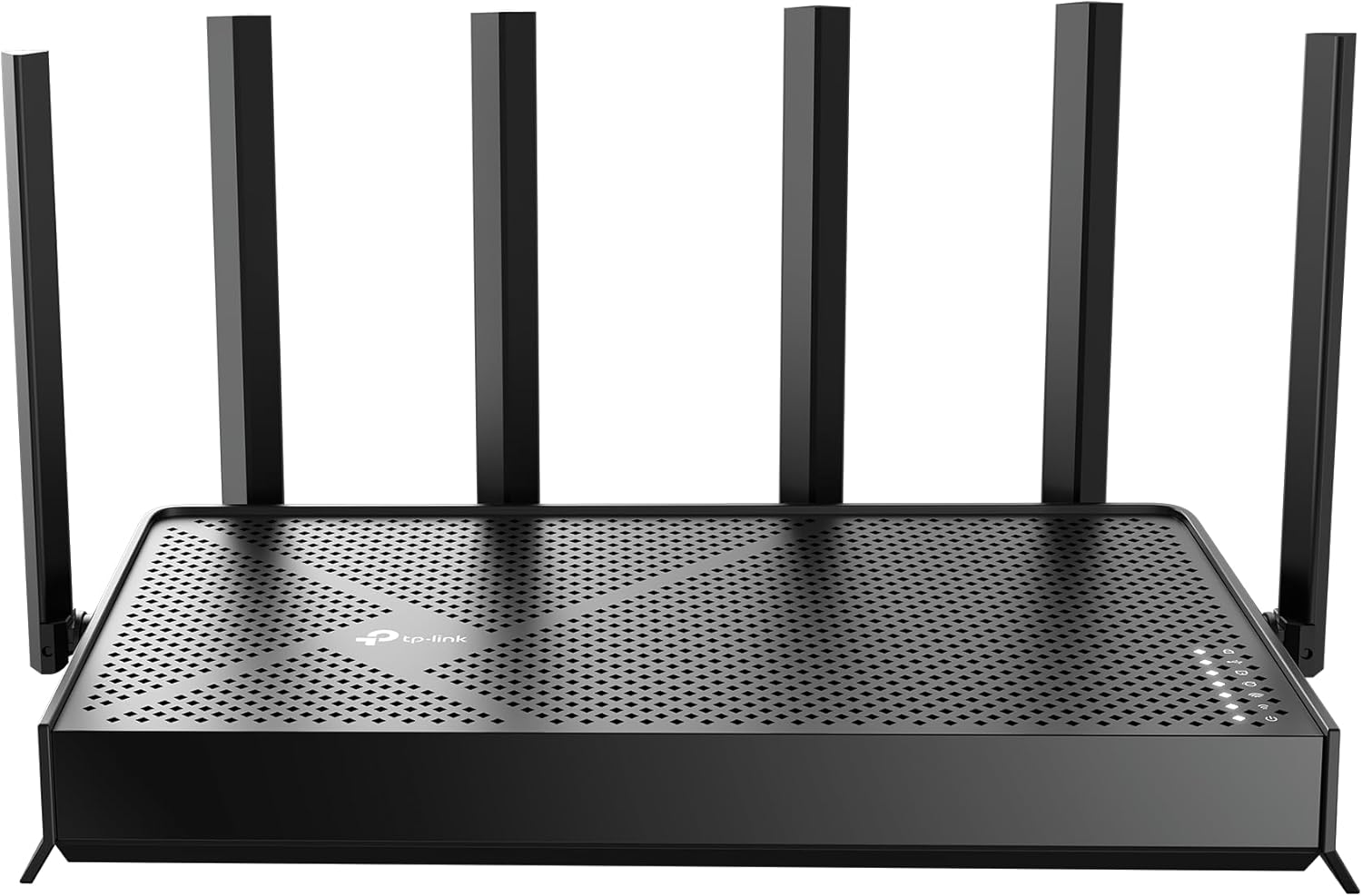
The BE7000 has a distinctive sci-fi aesthetic with a central “turret” housing six external antennas that can be adjusted for optimal signal positioning. The router measures about 25cm × 15cm × 20cm (with antennas extended) — it’s a sizable device that demands shelf space.
The build quality is decent for the price. The body is plastic but feels solid. The base has ventilation grilles and rubber feet for table placement. Wall mounting is possible via two keyhole slots on the bottom.
The one physical limitation: only one 2.5G Ethernet port. If you have a gigabit+ internet connection AND a 2.5G NAS or PC, you’ll need to choose which device gets the 2.5G connection. The other three LAN ports are limited to 1Gbps.
“For ¥899, the build quality is good. It’s a large router with 6 adjustable antennas. The design is modern and not ugly. My main complaint is the port limitation — one 2.5G port forces you to choose between your NAS and your PC for fast wired connections.” — JD.com user
Performance
WiFi 7 performance is solid on compatible devices. On a Xiaomi 14 Pro (WiFi 7), the BE7000 delivers real-world speeds of 900-1,200 Mbps within the same room — excellent for a budget WiFi 7 router. WiFi 6 devices achieve 500-700 Mbps, and WiFi 5 devices get 200-300 Mbps.
The tri-band setup includes a dedicated 6GHz band that’s free from interference from legacy devices. The 5GHz band supports 160MHz channel width for high-speed WiFi 6 clients. Range is adequate for a 90-120 sqm apartment but won’t cover a large multi-story home.
The 2.5G WAN port is useful for internet plans over 1Gbps. If you have a 2Gbps fiber connection (increasingly common in Chinese metro areas), the BE7000 won’t bottleneck your internet.
“I upgraded from a ¥199 Xiaomi AX3000T to the BE7000. With my 2Gbps fiber connection, I now get 1.7Gbps on wired and 1.1Gbps on WiFi 7 (Xiaomi 14 Pro). The AX3000T was limited to 940Mbps wired. Speed difference is noticeable for large downloads.” — JD.com user
Software and Features
The Xiaomi WiFi app provides basic router management — firmware updates, device management, guest network, and bandwidth monitoring. The interface is clean and user-friendly. Xiaomi mesh networking requires additional Xiaomi routers to extend coverage.
The USB 3.0 port can be used for network storage sharing (SMB) or as a print server. Performance is adequate for basic file sharing but not suitable for heavy NAS workloads.
One limitation: the BE7000 lacks Advanced QoS features found on ASUS and TP-Link routers. Gaming enthusiasts may miss features like game packet prioritization and VPN fusion. The router supports basic port forwarding and DDNS.
“The Xiaomi WiFi app does the basics well — I can see connected devices, manage my guest network, and check bandwidth usage. But it’s missing advanced features like per-device QoS and VPN server that my old ASUS router had. For basic home use, it’s fine.” — JD.com user
User Reviews by Theme
Affordable WiFi 7 Entry
“This is the cheapest WiFi 7 router I could find from a major brand. At ¥899, it’s less than half the price of the cheapest TP-Link WiFi 7 router. Performance with my Xiaomi 14 Pro is excellent — 1.1Gbps on WiFi is impressive for the price. Best value WiFi 7 router available.” — JD.com user, verified purchase
💡 Summary: Exceptional value as the most affordable WiFi 7 router from a major brand — best for early adopters on a budget.
Port Limitations
“The single 2.5G port is the weakest aspect. I have 2Gbps fiber and a 2.5G-capable NAS. I can only have one device connected at 2.5G. For ¥899, this is understandable, but be aware that you’ll need a 2.5G switch if you want multiple fast wired devices.” — JD.com user
💡 Summary: The single 2.5G port is a practical limitation for multi-device home networks with fast wired needs.
Range Adequacy
“In my 110 sqm apartment, the BE7000 covers the entire space with strong signal. But in my parents’ 180 sqm house, corners are weak. For larger homes, you’ll need a mesh setup with additional Xiaomi routers. The single-unit range is good for standard apartments.” — JD.com user
💡 Summary: Range is adequate for standard apartments but insufficient for large homes without mesh expansion.
Stability and Reliability
“Been using the BE7000 for 2 months. Zero crashes or disconnections. The 6GHz band stays stable. My smart home devices (30+ IoT on 2.4GHz) all connect without issues. Stability has been excellent — better than my previous ¥500 ASUS router that needed weekly reboots.” — JD.com user
💡 Summary: Good stability and reliability in daily use with no reported crash or disconnect issues.
Purchase Recommendations
✅ Worth Buying for WiFi 7 Early Adopters ($899)
If you want to experience WiFi 7 speeds on a budget, the BE7000 is the best entry point. At less than ¥900, it undercuts competitors by a wide margin while delivering solid WiFi 7 performance on compatible devices.
✅ Worth Buying for Gigabit+ Internet
If you have 1Gbps or faster internet (increasingly common in Chinese cities), the 2.5G WAN port ensures your router isn’t the bottleneck. The BE7000 is a future-proof upgrade for fast fiber connections.
⚠️ Consider a Mesh System for Large Homes
For homes over 150 sqm or concrete construction, the single BE7000 won’t provide adequate coverage. Consider the Xiaomi Mesh System (¥599+ for extra nodes) or a dedicated mesh system like the TP-Link Deco.
Pros & Cons
| ✅ Pros | ❌ Cons |
|---|---|
| Most affordable WiFi 7 router from major brand | Only one 2.5G port — limits multi-device setups |
| Tri-band with dedicated 6GHz band | Range adequate but not exceptional |
| 2.5G WAN port for gigabit+ internet | Lacks advanced QoS and VPN features |
| Qualcomm chipset for stable performance | No native multi-gig LAN switch |
| USB 3.0 port for network storage | Large footprint requires shelf space |
| Xiaomi mesh expansion compatible | Limited advanced settings in app |
FAQ
Q: Does the Xiaomi BE7000 support WiFi 7 on all devices? A: Only WiFi 7-compatible devices (Xiaomi 14 series, Samsung S24, select laptops with WiFi 7 cards) can use the full 6GHz band and 320MHz channels. WiFi 6/6E devices connect at WiFi 6 speeds on 5GHz. All devices are backward compatible.
Q: Can I use the BE7000 as part of a mesh network? A: Yes, it supports Xiaomi’s mesh networking. You can add other Xiaomi routers (AX3000T, AX6000, BE7000) to create a mesh network. The setup is done through the Xiaomi WiFi app. Cross-brand mesh (e.g., connecting to a TP-Link router) is not supported.
Q: Is the 2.5G port on the BE7000 actually useful? A: Yes, if you have internet service faster than 1Gbps or a 2.5G-capable NAS/PC. The single 2.5G port means you can connect either your WAN or one LAN device at 2.5G. For multiple 2.5G wired devices, you’ll need an external 2.5G switch (¥150-300).
Q: How does the BE7000 compare to the Xiaomi AX6000? A: The BE7000 is a significant upgrade: WiFi 7 (vs WiFi 6), tri-band (vs dual-band), 2.5G port (AX6000 has 2.5G WAN too but lacks WiFi 7 features). The AX6000 costs about ¥449. The BE7000’s WiFi 7 features cost about ¥450 more.
Q: Does the BE7000 support VPN? A: Basic VPN passthrough (PPTP, L2TP, IPSec) is supported, but the router doesn’t include a built-in VPN server or client. For VPN functionality, you’ll need to configure it on individual devices or use a separate VPN router.
Not sure which to choose?
Compare specs side-by-side with our Product Comparator Tool
Related Reviews

Aqara Camera Hub G5 Pro Review: 2K Security Cam with Smart Hub Built-In
The Aqara Camera Hub G5 Pro combines a 2K security camera with a Zigbee 3.0 hub in one device, offering local AI detecti

Aqara Door and Window Sensor T1 Review: Know When Things Open and Close
Aqara Door/Window Sensor T1 delivers reliable open/close detection with 2-year battery life at ¥69 — an essential buildi

Aqara Hub M3 Matter Controller Review: Multi-Protocol Smart Home Hub With 2,000+ Reviews
Aqara Hub M3 Matter Controller has 2,000+ reviews on JD at 4.4/5, priced at ¥399 ($55). Users love multi-protocol suppor

Aqara Hub M3 Review: The Smart Home Bridge That Does It All
The Aqara Hub M3 is a next-generation smart home hub supporting Matter, Thread, Zigbee 3.0, and Bluetooth, bridging Aqar

Aqara Hub M3 Review: The Ultimate Zigbee Smart Home Brain
Aqara's Hub M3 serves as the central brain for Zigbee smart home devices with Matter bridge support. We review this esse