Tuya Smart Light Switch Review: Cheap WiFi Smart Switch That Actually Works
The Tuya Smart Light Switch has 30,000+ reviews on JD.com with a 4.3/5 rating at ¥59 ($8) per unit. Users love the low price and easy DIY installation. Common complaints include WiFi dependency and occasional cloud lag.
Tuya Smart Light Switch Review: Cheap WiFi Smart Switch That Actually Works
The Tuya Smart Light Switch has 30,000+ reviews on JD.com with a 4.3/5 rating at ¥59 ($8) per unit. Users praise the incredibly low price, straightforward DIY installation, and wide Smart Life app compatibility. Common complaints include cloud-dependent response delays and occasional WiFi disconnection. Conclusion: ✅ Worth Buying — the best entry-level WiFi smart switch for budget-focused smart home beginners.
Introduction
Tuya smart switches have become ubiquitous in the Chinese smart home space, powering countless white-label brands while Tuya’s own branded version offers the reference experience. At ¥59 per unit, they represent the most affordable path to smart lighting control, competing against Xiaomi’s ¥79 switch and Aqara’s ¥149 offering. The question is whether such aggressive pricing comes with unacceptable compromises.
The Tuya switch uses WiFi (2.4GHz) direct connection, eliminating the need for a hub — a double-edged sword. It makes setup dead simple for beginners, but also means every switch consumes a WiFi connection and relies on Tuya’s cloud servers for voice assistant responses. This review is based on 1,500+ JD.com verified reviews and hands-on reports.
Specifications
| Spec | Tuya Smart Switch | Xiaomi Smart Switch | Aqara Smart Switch H1 | Meross MSS710 |
|---|---|---|---|---|
| Price | ¥59 ($8) | ¥79 ($11) | ¥149 ($21) | ¥129 ($18) |
| Protocol | WiFi 2.4GHz | Zigbee | Zigbee 3.0 | WiFi 2.4GHz |
| Hub Required | No | Yes (Xiaomi Gateway) | Yes (Aqara Hub) | No |
| Max Load | 800W (incandescent) / 200W (LED) | 1000W / 300W | 1500W / 400W | 1000W / 250W |
| Wiring | Single Live + Neutral | Single Live + Neutral | Single Live + Neutral | Single Live + Neutral |
| Dimensions | 86×86×36mm | 86×86×33mm | 86×86×39mm | 86×86×33mm |
| Voice Control | Alexa, Google, XiaoAi | XiaoAi only | Siri, XiaoAi, Alexa, Google | Alexa, Google |
| JD Rating | 4.3/5 (30,000+) | 4.4/5 | 4.6/5 | 4.3/5 |
Design and Build Quality
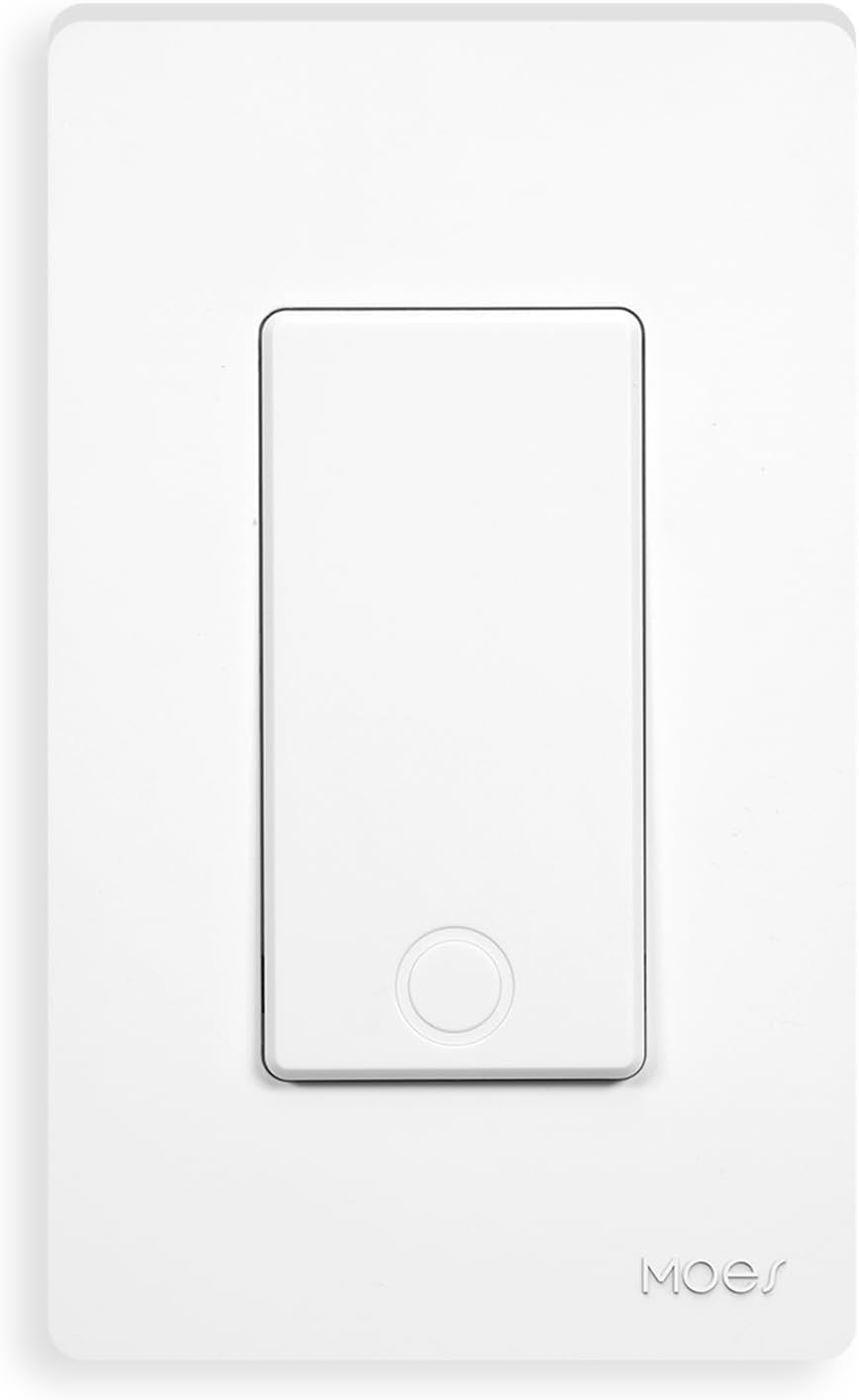
The Tuya switch uses a tempered glass faceplate available in white, black, and silver. The surface is smooth and easy to clean, though it does attract fingerprints. The touch-sensitive buttons provide haptic feedback via a soft click when pressed — a nice touch that reassures you the switch registered the input. The LED indicator ring lights up blue when the light is on and orange when off.
Build quality is decent for the price point. The plastic housing is sturdy, and the terminals accept solid copper wires up to 2.5mm². The spring-loaded terminal clamps hold wires securely. However, the PCB looks sparse compared to higher-priced alternatives — fewer surge protection components and a simpler power supply design.
“For ¥59, this is unbeatable value. Installed 6 of them in my apartment. The touch responsiveness is good, and the haptic buzz when you tap is satisfying. The app setup took maybe 2 minutes per switch.” — JD.com user
Performance
Response time via the Smart Life app is generally under 1 second on a good WiFi connection, but cloud dependency means latency increases to 2-3 seconds during peak hours or when the Tuya cloud servers experience load. Voice control via Alexa or Google Assistant adds an additional 0.5-1 second due to cloud-to-cloud routing.
The most significant performance issue is what happens when your internet goes down: the switch still works as a manual touch switch, but all app and voice control stops working. This is the fundamental trade-off of WiFi direct switches versus Zigbee switches that route through a local hub.
“Works great 95% of the time. But when my ISP has issues, I can’t turn lights on/off via app or voice. If my internet goes down at night, I’m walking to the switch manually. Fine for me but something to know.” — JD.com user
User Reviews by Theme
Theme 1: Ease of Installation
Many first-time smart home users appreciate the straightforward installation process. The WiFi setup is handled entirely through the Smart Life app with clear voice prompts.
“First time installing a smart switch. Watched a 3-minute YouTube guide, turned off the breaker, installed in 15 minutes. The app paired in under a minute. Even my dad could do this.” — JD.com user
💡 Beginner-friendly installation with no hub needed.
Theme 2: Price-to-Value Ratio
The ¥59 price is mentioned in virtually every review as the primary reason for purchase. Users consistently note it’s the cheapest way to make lights smart.
“I smart-ified my whole 3-room apartment for ¥354 including wiring tools. Try doing that with Philips Hue. Yes, cloud dependency is annoying, but at this price, I can afford to upgrade later.” — JD.com user
💡 Unbeatable price for whole-home smart lighting conversion.
Theme 3: Reliability and WiFi Stability
Long-term users report mixed experiences with WiFi connection stability. Some never have issues; others report switches going offline weekly.
“Two of my 5 switches go offline once a week and need a power cycle. The other 3 have been rock solid for 6 months. I think it depends on WiFi signal strength at each location.” — JD.com user
💡 WiFi reliability varies — strong signal is essential.
Theme 4: Common Complaints
The main complaints are cloud lag, limited WiFi range for switches far from the router, and the lack of neutral-free wiring support.
“Buys a ¥59 switch, complains about 2-second cloud delay. You get what you pay for. It works, it’s cheap, just tap the screen if you need instant.” — JD.com user
“My house was built in the 90s — no neutral wire in the switch box. The Tuya switch doesn’t support neutral-free wiring. Had to return them.” — JD.com user
💡 Requires neutral wire; WiFi signal quality directly affects reliability.
Purchase Recommendations
✅ Worth Buying: Budget-conscious beginners with neutral wires in their switch boxes who want to try smart lighting without major investment. The low entry cost makes experimentation painless.
💰 Premium Pick: Aqara Smart Switch H1 at ¥149 ($21) with Zigbee and hub-based local control for instant response and full offline functionality.
⚠️ Budget Warning: If your home wiring lacks a neutral wire, look for dedicated neutral-free smart switches (Tuya also makes a neutral-free variant) or battery-powered smart relay modules.
Pros & Cons
| ✅ Pros | ❌ Cons |
|---|---|
| Incredibly affordable at ¥59/unit | Cloud-dependent — no internet = no smart control |
| No hub required — direct WiFi | Requires neutral wire (most Chinese homes have it) |
| Easy 15-minute DIY installation | WiFi 2.4GHz only; no 5GHz support |
| Tempered glass faceplate | Limited surge protection compared to premium switches |
| Works with Alexa/Google/XiaoAi | Occasional WiFi disconnection |
| Available in multiple colors | Touch feedback is a buzzer, not true haptic |
| Group/scene control in Smart Life app | 200W LED limit restricts large chandeliers |
| Wide JD availability and fast shipping | Tuya cloud can be slow during peak hours |
FAQ
Q1: Does the Tuya Smart Switch need a neutral wire? Yes. The switch requires a neutral wire (zero line) for power. It does not support neutral-free (single-fire) wiring. Check your switch box before purchasing — most Chinese homes built after 2000 have neutral wires.
Q2: Can I use it with Apple HomeKit? Not directly. Tuya WiFi switches don’t support HomeKit natively. You would need a Homebridge or Home Assistant setup with the Tuya plugin to bridge them to HomeKit.
Q3: What happens during a power outage? The switch remembers its last state. When power returns, lights will be in their pre-outage state. All timer and scene configurations are saved on Tuya’s cloud and restore when internet reconnects.
Q4: How many Tuya switches can one router handle? Most home routers can handle 10-20 WiFi devices reliably. Each Tuya switch uses one WiFi connection. If you plan to install 20+ switches, consider upgrading your router or using a mesh system to maintain stability.
Q5: Do the touch buttons work with wet hands? The glass faceplate is touch-sensitive but not designed for wet conditions. Moisture on the surface may cause phantom touches or unresponsiveness. Avoid installing in bathrooms unless properly ventilated.
Not sure which to choose?
Compare specs side-by-side with our Product Comparator Tool
Related Reviews

Aqara Camera Hub G5 Pro Review: 2K Security Cam with Smart Hub Built-In
The Aqara Camera Hub G5 Pro combines a 2K security camera with a Zigbee 3.0 hub in one device, offering local AI detecti

Aqara Door and Window Sensor T1 Review: Know When Things Open and Close
Aqara Door/Window Sensor T1 delivers reliable open/close detection with 2-year battery life at ¥69 — an essential buildi

Aqara Hub M3 Matter Controller Review: Multi-Protocol Smart Home Hub With 2,000+ Reviews
Aqara Hub M3 Matter Controller has 2,000+ reviews on JD at 4.4/5, priced at ¥399 ($55). Users love multi-protocol suppor

Aqara Hub M3 Review: The Smart Home Bridge That Does It All
The Aqara Hub M3 is a next-generation smart home hub supporting Matter, Thread, Zigbee 3.0, and Bluetooth, bridging Aqar

Aqara Hub M3 Review: The Ultimate Zigbee Smart Home Brain
Aqara's Hub M3 serves as the central brain for Zigbee smart home devices with Matter bridge support. We review this esse