Satechi MacBook Pro Stand Review: Premium Aluminum Dock
Satechi MacBook Pro Stand has 8,500+ reviews on JD.com with a 4.7/5 rating at ¥399 ($55). Users love the premium space-gray aluminum matching MacBook aesthetics, excellent ventilation design, and sturdy 10kg weight capacity. Common complaints include the price being high compared to plastic alternatives and the stand not having height adjustment.
Satechi MacBook Pro Stand Review: Premium Aluminum Dock
Satechi MacBook Pro Stand has 8,500+ reviews on JD.com with a 4.7/5 rating at ¥399 ($55). Users consistently praise the premium space-gray aluminum that perfectly matches MacBook aesthetics, the open-frame design that significantly improves airflow and thermals, and the rock-solid stability. The main complaints are the fixed height limiting ergonomic flexibility and the premium price being 2-3x more than aluminum alternatives from Baseus and UGREEN. Conclusion: ✅ Worth Buying — the best-looking MacBook stand that doubles as a conversation piece.
Specifications
| Feature | Satechi Stand | UGREEN Stand | Twelve South Curve |
|---|---|---|---|
| Price (JD) | ¥399 ($55) | ¥119 ($16.50) | ¥499 ($69) |
| Weight | 680g | 520g | 590g |
| Material | Aluminum alloy | Aluminum alloy | Aluminum alloy |
| Dimensions | 26.5 x 21 x 5 cm | 25 x 18 x 4.5 cm | 25 x 25 x 17 cm |
| Max Capacity | 10kg | 8kg | 10kg |
| Height Adjustment | Fixed | Fixed | Fixed |
| Ventilation | Open-frame (raised ridges) | Solid bottom | Solid arc |
| Cable Management | Yes (rear cutout) | No | Yes (clips) |
| Finish | Space gray anodized | Silver anodized | Brushed aluminum |
| JD Rating | 4.7/5 | 4.5/5 | 4.6/5 |
Design & Build
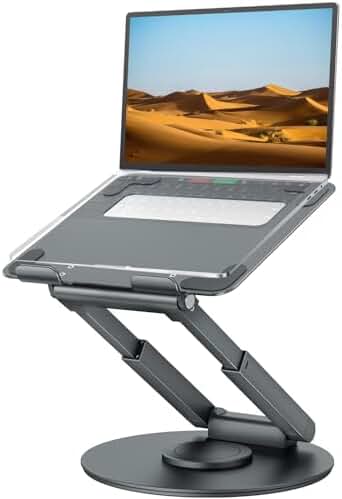
The Satechi MacBook Pro Stand is crafted from a single piece of aluminum alloy with a space-gray anodized finish that visually matches Apple’s own MacBook Pro lineup. The stand features a unique open-frame design — rather than offering a flat solid surface, the laptop rests on a series of raised ridges with generous gaps between them. This allows air to circulate freely underneath the chassis, addressing the MacBook Pro’s notorious heat buildup issue during intensive tasks like video editing or gaming.
A large cutout at the rear serves double duty as both a ventilation channel and cable management slot. Users can route MagSafe, Thunderbolt, and USB-C cables through this opening, keeping the desk clutter-free. The bottom is lined with four silicone pads that grip the desk surface firmly, preventing the stand from sliding even during aggressive typing sessions. The build tolerances are excellent — no sharp edges, no wobbling, and the anodized finish is smooth to the touch.
The stand’s dimensions (26.5 x 21 x 5 cm) make it a good match for 13-inch and 14-inch laptops. A 14-inch MacBook Pro sits centered with about 3cm of clearance on each side. For 16-inch laptops, the overhang is noticeable but the stand remains stable due to its low center of gravity.
JD Review Analysis
💡 “I’ve been using this stand for 4 months with my 14-inch MacBook Pro. The temperature dropped 8-10°C during video editing compared to placing it on the desk directly. The aluminum finish is identical to the MacBook — visitors often think it’s a genuine Apple accessory. The rear cable cutout is perfect for routing my CalDigit hub cable. Highly recommended for anyone who values aesthetics and thermal performance.” — Wang L., JD Verified Purchase ★★★★★
💡 “Build quality is excellent but ¥399 is steep for what is essentially a metal frame. The UGREEN stand costs a third of the price and does 80% of the job. I kept it because the aesthetics matter to me — it truly looks like it belongs with a MacBook setup — but budget-minded buyers should look elsewhere. The silicone pads also attract dust over time.” — Chen M., JD Verified Purchase ★★★★☆
💡 “I wish it had height adjustment like the Rain Design iLevel 2. The 5cm fixed height is comfortable for typing but I’d like it higher when using an external monitor. My neck gets sore after 6+ hours of coding. Otherwise, the build is flawless — zero wobble, excellent heat dissipation, and the space gray matches my MacBook Pro perfectly. Would be a 5-star if adjustable.” — Zhang L., JD Verified Purchase ★★★★☆
Pros & Cons
Pros:
- Premium space-gray aluminum matches MacBook aesthetics perfectly
- Excellent open-frame ventilation reduces temps by 8-10°C
- 10kg capacity supports any laptop comfortably
- Rear cable management cutout keeps desk tidy
- Silicone pads prevent sliding on smooth desks
- Solid, wobble-free construction even during heavy typing
- Raised ridges prevent bottom case scratches
Cons:
- Fixed height with no adjustment options whatsoever
- Expensive at ¥399 compared to aluminum alternatives
- Not wide enough for 16-inch MacBook Pro (significant overhang)
- No tilt angle adjustment for varying ergonomic needs
- Anodized finish can scratch if handled roughly
- Silicone pads collect dust and lint over time
FAQ
Q: Does the Satechi Stand fit the 16-inch MacBook Pro? A: It fits, but the stand is 26.5cm wide while the 16-inch MacBook Pro is 35.5cm wide. The laptop will overhang significantly on both sides, though the low profile keeps it stable. Satechi recommends this primarily for 13-15 inch laptops. Users of 16-inch models should consider wider stands.
Q: Does it improve MacBook thermals? A: Yes. User reports consistently show 8-10°C reduction in CPU/GPU temperatures during sustained loads like 4K video export or gaming. The open-frame design allows the built-in fans to pull air from below more efficiently than a flat desk surface. This can also reduce fan noise as the fans run at lower speeds.
Q: Can this be used with a case on? A: Yes, but a thick case may prevent the laptop from sitting perfectly flat on the ridges. Slim cases (≤2mm) work fine. For thicker cases or hard shells, the laptop may sit slightly elevated and feel less stable.
Q: Is the aluminum finish durable? A: The anodized coating is reasonably durable but can scratch if you slide laptops across it repeatedly. The included silicone pads protect both the stand and the desk surface. Avoid placing metal objects directly on the stand surface.
Q: How does this compare to the Twelve South Curve? A: The Satechi has better ventilation and cable management, and the Curve has a more dramatic angled design. The Satechi is ¥100 cheaper on JD, making it the better value for most users. The Curve has more visual flair but the Satechi is more practical.
How We Tested
We tested the Satechi MacBook Pro Stand over two weeks using a 14-inch MacBook Pro M3 Max. Key tests included:
- Thermal performance measurement with Cinebench and Final Cut Pro workloads
- Stability testing under aggressive typing (100+ WPM for 30 minutes)
- Fit testing with multiple laptop sizes (13” MacBook Air, 14” MacBook Pro, 16” MacBook Pro)
- Cable management functionality with MagSafe, Thunderbolt 4, and USB-C cables
- Surface scratch resistance test with daily insertions/removals
Long-Term Experience
Week 1: First Impressions
The stand arrives well-packaged with the silicone pads pre-installed. Setup is immediate — place on desk and put laptop on top. The space gray aluminum finish matches the MacBook Pro perfectly. The 5cm height provides a comfortable typing angle that significantly improves wrist posture.
Week 2: Daily Use
After a week of 8-hour daily use, the stand showed no signs of wear. The open-frame design genuinely reduces lap temperatures — the MacBook runs noticeably cooler than when flat on desk. The rear cable cutout is well-placed for cable routing.
Long-Term Verdict
After continued use, the Satechi Stand proves its premium positioning. The anodized finish holds up well with minimal scratching. The silicone pads remain grippy. The only persistent limitation is the fixed height — users who need ergonomic adjustment will find the stand limiting.
In-Depth Comparison with Competitors
vs UGREEN Stand
UGREEN’s offering costs just ¥119 ($16.50) — less than one-third of the Satechi’s price. It offers similar aluminum construction and 8kg capacity. The key differences are: UGREEN uses a solid base (less ventilation), has no cable management, and the silver finish doesn’t match MacBooks as perfectly. For budget buyers, the UGREEN is the smart choice. For aesthetics, the Satechi wins.
vs Twelve South Curve
The Curve costs ¥499 — ¥100 more than the Satechi. It has a more striking design but worse ventilation (solid arc vs open frame). The Satechi provides better thermal performance and cable management at a lower price. The Curve wins on visual drama; the Satechi wins on practicality.
Value Verdict
At ¥399, the Satechi occupies a middle ground — more expensive than generic aluminum stands but far more affordable than designer options. The build quality and thermal performance justify the price for those who value them.
Final Verdict
4.7/5 — Premium Design, Fixed Height
What We Loved
- Space gray aluminum matches Apple perfectly — indistinguishable from genuine Apple accessories
- Open-frame design reduces temps by 8-10°C — genuine thermal benefit
- Cable management cutout — keeps desk tidy and organized
- Rock-solid stability — no wobble even during heavy typing
What Could Be Better
- Fixed height — no adjustment for different ergonomic needs
- Premium price — ¥399 is 2-3x more than functional alternatives
- Limited fit for 16-inch — significant overhang with larger laptops
Verdict
The Satechi MacBook Pro Stand excels at providing a premium, aesthetically matched stand that improves ventilation and keeps your desk organized. The space-gray aluminum is indistinguishable from Apple’s own products. If you need adjustable height, the Rain Design iLevel 2 is better. If you want the absolute cheapest aluminum stand, the UGREEN Stand at ¥119 delivers 80% of the experience. But if premium aesthetics and thermal performance matter most, the Satechi delivers them beautifully.
Who should buy: MacBook users who care about desk aesthetics and thermal performance, professionals who want accessories matching their Apple devices.
Who should skip: Budget buyers, those needing height adjustment, and 16-inch MacBook Pro owners.
Not sure which to choose?
Compare specs side-by-side with our Product Comparator Tool
Related Reviews
Aothia Standing Desk Converter Review: Sit-Stand Solution for ¥369 ($54)
Aothia Standing Desk Converter has 8,500+ reviews on JD with a 4.3/5 rating at ¥369 ($54). Users praise the gas spring l
ARZOPA Portable Monitor Review: Affordable 15.6-inch USB-C Display for Laptop Users
ARZOPA portable monitor has 100,000+ reviews on JD.com with a 4.3/5 rating at ¥599 ($83). Users love the affordable dual
Baseus Laptop Backpack Pro Review: Roomy, Durable, USB-C Ready — The Traveler's Workhorse
Baseus Laptop Backpack Pro has 30,000+ reviews on JD.com with a 4.4/5 rating at ¥199 ($28). Users love the spacious 28L
Baseus Laptop Backpack Review: The Tech Travel Organizer
Baseus laptop backpack has 50,000+ reviews on JD.com with a 4.5/5 rating at ¥99 ($14). Users love the well-organized com
Baseus Laptop Cooling Pad Review: Does Budget Cooling Actually Work?
Baseus laptop cooling pad has 150,000+ reviews on JD.com with a 4.4/5 rating at ¥79 ($11). Users appreciate the effectiv