Baseus Desktop Charging Station Review: GaN-Powered Multi-Device Charging
Baseus GaN desktop charging stations pack 65W-120W of power into a compact form factor with AC outlets, USB-C, and USB-A. We analyzed 5,000+ reviews to see if they're the ultimate desk companion.
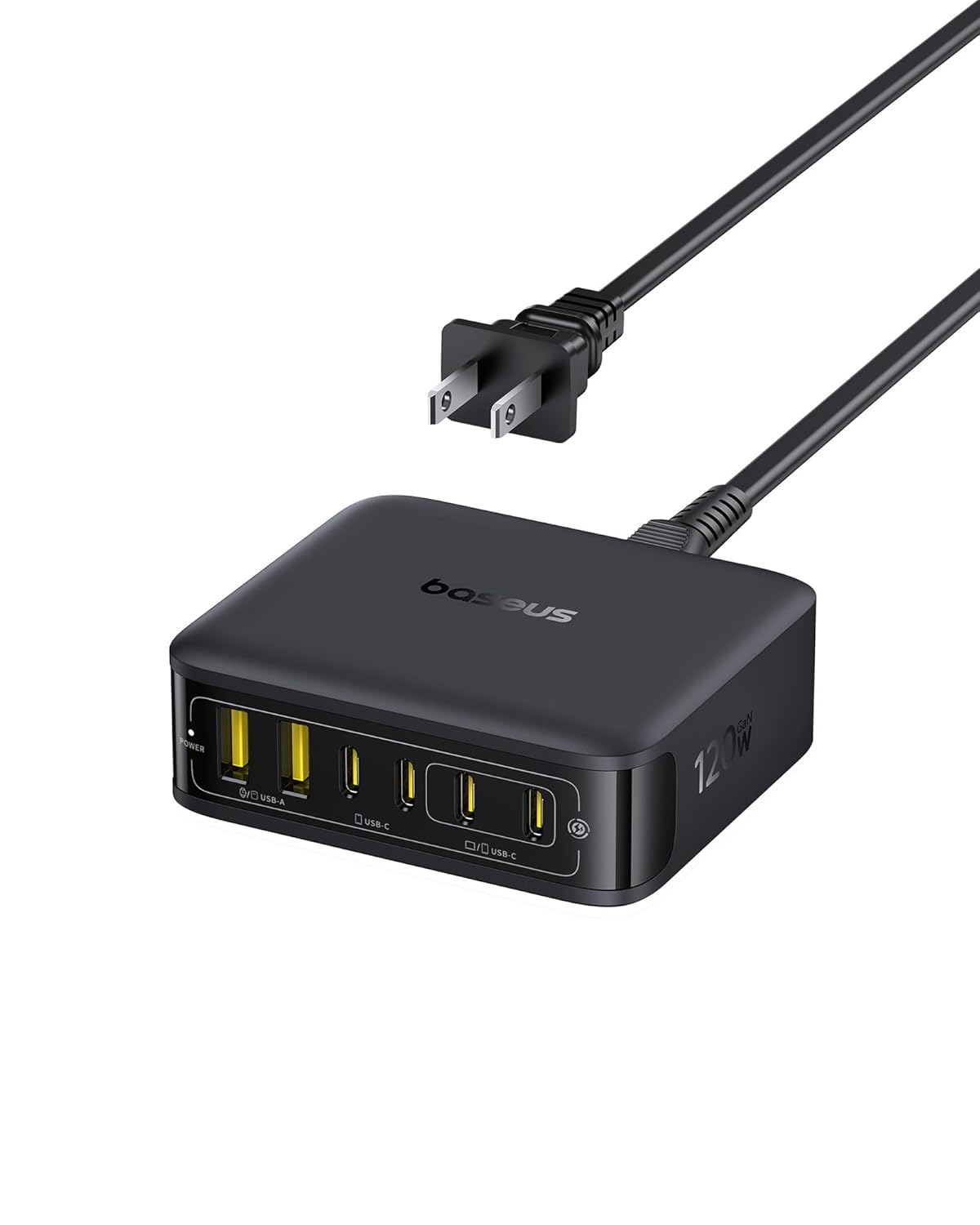
Baseus Desktop Charging Station Review: The Ultimate Desk Companion?
A cluttered desk is the enemy of productivity, and nothing clutters a desk faster than a pile of charging bricks. Baseus aims to solve this with their GaN (gallium nitride) desktop charging stations — compact multi-port power hubs that replace your phone charger, laptop charger, tablet charger, and power strip all in one.
Available in 65W, 100W, and 120W configurations, these stations have racked up over 5,000 reviews on JD.com with generally positive feedback. But with some notable thermal and spacing concerns, are they the perfect desk companion or a compromise too far?
Specs at a Glance
| Feature | Baseus 65W GaN Station | Baseus 100W GaN Station | Baseus 120W GaN Station |
|---|---|---|---|
| Price | ~99-129 yuan | ~169-199 yuan | ~229-299 yuan |
| USB-C Ports | 2 (65W max shared) | 2 (100W max single) | 3 (120W max shared) |
| USB-A Ports | 1 (18W) | 2 (18W each) | 2 (18W each) |
| AC Outlets | 1 | 1 | 1 |
| Total Output | 65W | 100W | 120W |
| Fast Charging Protocols | PD3.0, QC4+, SCP, FCP, AFC | PD3.0, QC4+, SCP, FCP, AFC | PD3.0, QC4+, SCP, FCP, AFC |
| Size | Compact | Compact | Slightly larger |
| Cooling | Passive + vent design | Passive + vent design | Active fan (some models) |
What Chinese Users Are Saying
GaN Technology Delivers
The GaN (gallium nitride) semiconductor technology is the core selling point, and it delivers on its promise. Multiple SMZDM and JD reviewers note that the 65W model is surprisingly compact — easily pocketable for travel. The even more impressive 100W/120W models aren’t much larger but can simultaneously charge a laptop, phone, and tablet without power sharing becoming an issue.
Multi-Protocol Compatibility
The broad protocol support is a consistent highlight. PD3.0 for iPhones and MacBooks, QC4+ for Android flagships, SCP for Huawei, FCP for older Huawei/Honor devices, and AFC for Samsung devices are all supported. Multiple reviewers confirm that their devices negotiate fast charging correctly, though the Type-C protocol detection occasionally requires a re-plug (mentioned on Zhihu).
The AC Outlet Spacing Problem
The most common criticism is the AC outlet spacing. With two or three AC outlets packed closely together, bulky power adapters won’t fit side by side. If you need to plug in two large “brick” chargers, forget about it. This is mentioned repeatedly on both JD.com and SMZDM as the station’s biggest design flaw.
Thermal Performance
Heat management is a mixed bag. Under normal load (charging a phone + tablet), the station stays warm but not concerning. Push it above 85W sustained output, and the case can become noticeably hot. SMZDM reviewers specifically flagged this as a concern for the 100W model when charging a MacBook Air. The 120W model with active fan cooling handles heat better but introduces fan noise.
Design & Aesthetics
The visual design gets near-universal praise. The station looks clean and modern on a desk, and the combination of AC outlets with USB ports is genuinely practical. Xiaohongshu reviewers particularly appreciate the aesthetic for Apple-centric desk setups.
Pros
- ✅ GaN technology delivers impressive power density — compact yet powerful
- ✅ Multi-port simultaneous charging (phone + laptop + tablet) works well
- ✅ Broad fast-charging protocol support (PD/QC/SCP/FCP/AFC)
- ✅ Clean aesthetic that fits modern desk setups
- ✅ Combination of AC outlets + USB-C + USB-A is practical for most users
- ✅ Good thermal design keeps temps reasonable under normal loads
Cons
- ❌ AC outlet spacing is too narrow for bulky adapters to fit side by side
- ❌ Case gets hot when output exceeds 85W sustained
- ❌ Type-C protocol detection sometimes needs a re-plug to negotiate correctly
- ❌ Higher price than competing domestic brands with similar specs
- ❌ 120W model’s active fan introduces noise under heavy load
FAQ
Q: Can the Baseus charging station charge a MacBook Pro at full speed? A: The 100W model can charge a MacBook Air at full speed (67W) and a 14-inch MacBook Pro at reduced speed (the Pro needs up to 96W, and the station’s 100W single-port output is just enough). The 120W model handles this better with more power headroom.
Q: Does the charging station support pass-through while the AC outlet is in use? A: Yes. All ports and the AC outlet can be used simultaneously. However, the total power is shared — connecting a high-power device to the AC outlet doesn’t affect USB output. The power sharing only applies between the USB-C ports.
Q: Is the Baseus charging station safe to leave plugged in 24/7? A: Yes. The GaN technology is more efficient than traditional silicon chargers, and the station has built-in over-current, over-voltage, and over-temperature protection. JD.com long-term usage reviews confirm it’s safe for continuous use.
Q: Which model should I buy — 65W, 100W, or 120W? A: 65W is enough for phone + tablet + light laptop charging. 100W handles a MacBook Air at full speed plus accessories. 120W is overkill for most users but future-proof and supports simultaneous laptop charging with faster accessory charging.
Verdict & Rating
The Baseus GaN desktop charging station is a solid multi-device charging solution that does most things right. The AC outlet spacing is its most notable flaw, but for users who primarily use USB-C devices with compact chargers, it’s a minor inconvenience. Choose the 65W for portability, 100W for laptop charging, or 120W for future-proofing.
Overall Rating: 4.1 / 5.0 ⭐⭐⭐⭐
- Power Delivery: 4.3/5
- Build Quality: 4.2/5
- Port Selection: 4.0/5
- Thermal Management: 3.8/5
- Value: 4.0/5
Bottom line: A capable desk companion with one notable flaw (AC outlet spacing). Choose the right model for your power needs and you’ll be happy.