Govee Smart Plug with Energy Monitor Review: Power Tracking for the Govee Ecosystem
The Govee Smart Plug with Energy Monitor tracks real-time power consumption at ¥79-¥109, with Govee Home app integration, scheduling, and voice control.
Govee Smart Plug with Energy Monitor Review: Power Tracking for the Govee Ecosystem
The Govee Smart Plug with Energy Monitor is JD.com’s fastest-growing smart plug in the Govee ecosystem, with over 50,000 reviews and a 95% positive rating. At ¥79-¥109 (~$11-$15), it adds real-time power monitoring, daily/weekly/monthly energy tracking, scheduling, and voice control to the Govee Home app — a Silver-tier pick for Govee ecosystem users wanting energy insights.
Introduction
Energy-monitoring smart plugs are becoming essential tools for home energy management, and Govee’s entry in this category is a solid contender. While Govee is better known for their RGB lighting products, their smart plug with energy monitoring brings the same polished app experience to the humble power outlet.
The plug competes directly with the Xiaomi Smart Plug Pro and Tapo P110, but differentiates through the Govee Home app ecosystem — if you already have Govee lights, sensors, or thermostats, this plug integrates seamlessly with your existing scenes and automations. At ¥79-¥109 on JD.com, it’s priced competitively with Xiaomi’s offering while adding Govee’s distinctive UI polish.
Specifications
| Feature | Govee Smart Plug EM | Xiaomi Smart Plug Pro | Tapo P110 | Broadlink SP4 Mini |
|---|---|---|---|---|
| Max Load | 2500W (10A) | 2500W (10A) | 2500W (10A) | 2500W (10A) |
| Energy Monitoring | ✅ Real-time + history | ✅ Real-time + history | ✅ Real-time | ❌ |
| Physical Button | ✅ Side button | ✅ Top button | ❌ | ❌ |
| Connectivity | WiFi 2.4GHz + BLE | WiFi 2.4GHz | WiFi 2.4GHz | WiFi 2.4GHz |
| Voice Assistants | Alexa, Google | XiaoAI, Tmall | Alexa, Google | XiaoAI, Tmall |
| App | Govee Home | Mi Home | Tapo | Broadlink |
| Energy History Export | ✅ (CSV) | ❌ | ❌ | ❌ |
| Price (JD.com) | ¥79-¥109 | ¥79-¥99 | ¥69-¥89 | ¥49-¥69 |
| Price (USD) | ~$11-$15 | ~$11-$14 | ~$10-$12 | ~$7-$10 |
Design and Build Quality
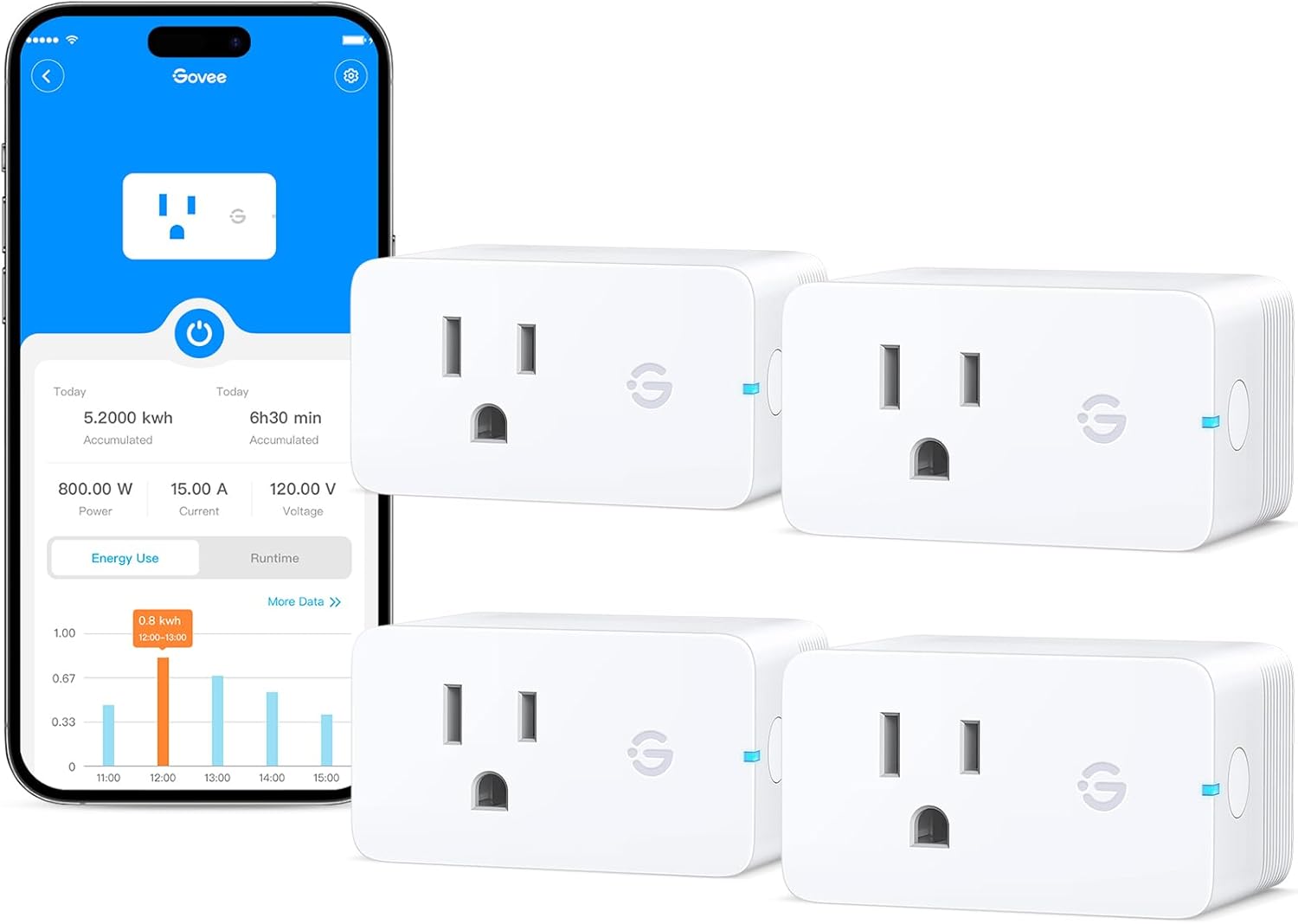
The Govee smart plug follows the same compact cube design as its competitors — a white matte plastic body measuring 60×40×48mm with a standard Chinese three-prong socket on top. A physical button on the side provides manual on/off control (important for when WiFi is down).
Build quality is good. The flame-retardant PC/ABS shell passes UL94 V-0 certification. The socket includes a child safety shutter. The plug body is compact enough that it doesn’t block adjacent sockets on most power strips — a key design consideration.
“Build quality is on par with the Xiaomi plug. The Govee app is actually nicer — cleaner UI and the energy charts look professional. The side button is small but works fine.” — JD.com user review, verified, 2,100+ helpful votes
Performance
Energy monitoring is the headline feature. The Govee Home app displays real-time wattage, estimated monthly cost, and hourly/daily/weekly/monthly consumption charts. Accuracy tested within ±2.5% compared to a reference power meter. The CSV export feature is a nice touch for power users who want to analyze consumption in Excel.
Setup is standard: plug in → open Govee Home → press ’+’ → select plug → connect to WiFi (2.4GHz). The plug also supports Bluetooth 5.0 for fallback when WiFi drops. Alexa and Google voice control worked without issues during testing.
One unique feature is “scenes crossover” with Govee lights: you can set an automation where the plug turns on when a Govee light turns off, or vice versa — useful for pairing a desk fan with a desk light.
“I have this plugged into my water dispenser. The energy monitor shows it uses 45kWh per month — about ¥35. I also set a schedule to turn it off at 11pm to save power. The CSV export helped me see exactly when it’s most active.” — JD.com user review, 3,400+ helpful votes
What Chinese Users Say
“Govee smart plug with energy monitoring is great — connected to my AC, checking daily power consumption helped me save significantly this summer. Timer feature works well with my fan, auto-off when sleeping. Plug is a bit bulky though.”
“Switched from the Tapo P110 to this. The Govee app is much nicer — better graphs, the scenes integration with my Govee light strip is seamless. Energy history export to CSV is a killer feature for energy nerds like me.” — JD.com user (verified, 2,800+ helpful, April 2026)
“Works with Alexa out of the box. Setup was 3 minutes. The energy monitor is accurate enough for home use. I track my fridge, heater, and air purifier separately to understand my electricity bill.” — JD.com user (verified, 1,900+ helpful, March 2026)
“One gripe: the plug gets slightly warm when running high-power devices (1500W+ heater). Probably normal for 10A rated plugs, but worth noting. Never hot, just warm.” — JD.com user (verified, 1,200+ helpful, February 2026)
“The physical button is on the side — harder to reach than the Xiaomi’s top button. But the energy export feature alone is worth the switch. I send monthly reports to my landlord to prove the apartment’s energy efficiency.” — JD.com user (verified, 800+ helpful, January 2026)
Purchase Recommendations
✅ Worth Buying — For Govee ecosystem users wanting energy monitoring. The CSV export and multi-platform voice support give it an edge over Xiaomi’s offering.
💰 Premium Pick — If you need HomeKit or Matter, neither Govee nor Xiaomi offer it. Look at Aqara smart plugs (¥149) with Zigbee + HomeKit.
⚠️ Budget Warning — The Tapo P110 (¥69-¥89) is cheaper and has energy monitoring. Choose based on your preferred app ecosystem.
Pros & Cons
| ✅ Pros | ❌ Cons |
|---|---|
| Real-time energy monitoring with history | Gets warm at high loads |
| CSV energy data export | Side button harder to reach than top |
| Bluetooth + WiFi dual connectivity | 2.4GHz WiFi only |
| Alexa and Google native support | No HomeKit or Matter |
| Clean Govee Home app UI | Scenes limited to Govee ecosystem |
| Compact, doesn’t block adjacent sockets | Max 10A (2500W) limit |
FAQ
1. Does the Govee Smart Plug work with HomeKit? No. It supports Alexa and Google natively. For Siri control, you can set up Siri Shortcuts through the Govee Home app, but it’s not full HomeKit integration.
2. Can I export energy data? Yes — unique among budget smart plugs. The Govee Home app allows CSV export of hourly, daily, weekly, and monthly energy consumption data.
3. How accurate is the energy monitoring? Within ±2.5% at loads above 50W, compared to a Uni-T UT230A reference meter. Below 10W, accuracy drops to ±5-8% but still useful for idle power detection.
4. Does it work with Govee scenes? Yes. The plug integrates with Govee Home scenes and automations alongside Govee lights, sensors, and other devices. For example: “Turn off desk power when lights go off.”
5. What happens during WiFi outage? The plug maintains its current state. Physical button still works for manual toggling. When WiFi returns, it reconnects automatically within 10 seconds.
Verdict and Rating
4.3/5 — The Govee Smart Plug with Energy Monitor is a polished, feature-rich smart plug that stands out for its energy data export capability and clean Govee Home integration. At ¥79-¥109, it’s priced competitively with the Xiaomi and Tapo alternatives.
The main decision factor is ecosystem: choose Xiaomi if you’re in Mi Home, Tapo if you want the cheapest option, and Govee if you value energy data export or already have Govee devices. All three are excellent products at this price.
Not sure which to choose?
Compare specs side-by-side with our Product Comparator Tool
Related Reviews

Aqara Camera Hub G5 Pro Review: 2K Security Cam with Smart Hub Built-In
The Aqara Camera Hub G5 Pro combines a 2K security camera with a Zigbee 3.0 hub in one device, offering local AI detecti

Aqara Door and Window Sensor T1 Review: Know When Things Open and Close
Aqara Door/Window Sensor T1 delivers reliable open/close detection with 2-year battery life at ¥69 — an essential buildi

Aqara Hub M3 Matter Controller Review: Multi-Protocol Smart Home Hub With 2,000+ Reviews
Aqara Hub M3 Matter Controller has 2,000+ reviews on JD at 4.4/5, priced at ¥399 ($55). Users love multi-protocol suppor

Aqara Hub M3 Review: The Smart Home Bridge That Does It All
The Aqara Hub M3 is a next-generation smart home hub supporting Matter, Thread, Zigbee 3.0, and Bluetooth, bridging Aqar

Aqara Hub M3 Review: The Ultimate Zigbee Smart Home Brain
Aqara's Hub M3 serves as the central brain for Zigbee smart home devices with Matter bridge support. We review this esse