BenQ ScreenBar Review: The Desk Light That Redefines Workspace Illumination
## Introduction For years, desk lighting meant one thing: a desk lamp.
Introduction
For years, desk lighting meant one thing: a desk lamp. BenQ challenged that assumption with the ScreenBar, a monitor-mounted light bar that eliminates glare, saves desk space, and creates the kind of even, comfortable illumination that makes you wonder why nobody thought of it sooner. After living with the ScreenBar for several weeks, we understand why it’s become a cult favorite among programmers, designers, and anyone who spends long hours at a screen.
Key Specifications
| Specification | Details |
|---|---|
| Brand | BenQ |
| Model | ScreenBar (Standard) / ScreenBar Halo |
| Light Source | LED |
| Color Temperature | 2700K–6500K (adjustable) |
| Brightness Levels | 15 levels (auto-dimming mode) |
| Power | USB powered (5V/1A) |
| Mount | Counterweight clamp (no adhesive/tape) |
| Compatibility | Flat monitors up to 3cm thick, curved monitors (Halo version) |
| Weight | ~170g |
| Special Features | Asymmetric optical design, auto ambient light sensor |
Design and Build Quality
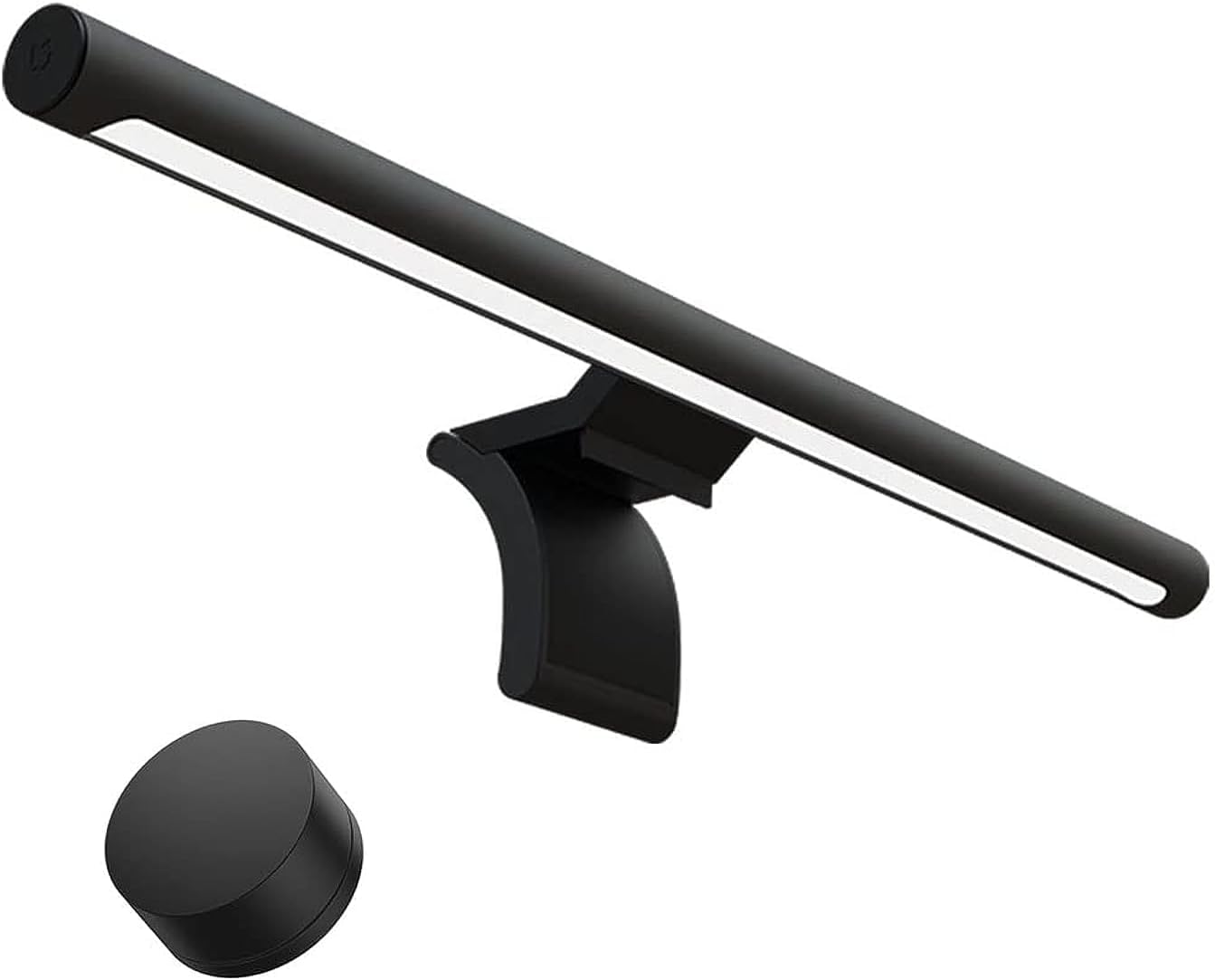
The ScreenBar’s design is deceptively simple: a cylindrical light bar attached to a curved mount that sits on your monitor. The counterweight clamp is genius — it hangs on the top edge of your monitor without any adhesive or tape, held in place by gravity and a clever pivot mechanism. This means it works on virtually any monitor and can be moved between screens in seconds.
The build quality is premium. The aluminum housing feels solid, and the matte finish resists fingerprints. The touch controls on the bar itself — brightness and color temperature — are responsive and satisfying to use. The auto-dimming feature, activated by a touch sensor, engages the built-in ambient light sensor to adjust brightness automatically.
Performance in Real Use
Glare-Free Illumination
The ScreenBar’s killer feature is its asymmetric optical design. Light from the bar is directed downward at a specific angle that illuminates your desk without reflecting off your monitor screen. This requires precise lens construction, and BenQ executes it beautifully. The result: your work surface is brightly lit while your screen remains glare-free.
Auto-Dimming
The ambient light sensor works remarkably well. As natural light changes through the day, the ScreenBar adjusts its brightness automatically. In a room with windows, you’ll notice it subtly brightening as evening approaches and dimming as overhead lights turn on. It’s the kind of feature that fades into the background once you experience it — you simply stop thinking about your desk lighting.
Manual Controls
When you want to take control, the touch sensors on the bar let you adjust brightness and color temperature independently. The controls are intuitive: touch and hold to adjust continuously, or tap for discrete steps. The ability to switch between warm (2700K) and cool (6500K) light is useful for transitioning from focused work to relaxing evening use.
Space Savings
This is the ScreenBar’s most underrated benefit. By mounting on your monitor, it frees up your entire desk surface. No lamp base taking up a corner. No arm reaching across your workspace. If your desk is already crowded with monitors, peripherals, and paperwork, the space-saving alone is worth considering.
What Users Are Saying
“Best desk accessory I’ve ever purchased. Zero screen glare and perfect illumination.” — Alan W. ⭐⭐⭐⭐⭐
“The asymmetric light design is genius. Lights up my desk without reflecting on the monitor.” — Betty C. ⭐⭐⭐⭐⭐
“Auto-dimming feature works perfectly. Saves space and looks professional.” — Chris H. ⭐⭐⭐⭐⭐
“Easy to install, great build quality. My eyes are much less tired after long work sessions.” — Diana K. ⭐⭐⭐⭐⭐
“Expensive but worth it. The touch controls are responsive and the light is high quality.” — Edward G. ⭐⭐⭐⭐
“I bought two — one for office and one for home. That’s how much I love this product.” — Ian S. ⭐⭐⭐⭐⭐
Users consistently describe the ScreenBar as “life-changing” for their workspace, with eye comfort being the most frequently cited benefit.
Pros and Cons
✅ Pros
- Zero screen glare — asymmetric optics actually work
- Frees up desk space — no lamp base needed
- Reduces eye strain — even, shadow-free illumination
- Auto-dimming — adapts to room lighting intelligently
- No monitor damage — counterweight mount, no adhesive
- Adjustable color temperature — warm to cool light
- Universal fit — works on most monitors and laptops
- Premium build quality — aluminum housing, solid feel
❌ Cons
- High price — significantly more expensive than desk lamps
- USB powered only — needs a spare USB port or adapter
- Doesn’t work on thick monitors — limited to 3cm for standard version
- Touch controls can be finicky — sometimes require multiple taps
- No wireless remote — Halo version includes one, but standard doesn’t
Frequently Asked Questions
Q: Will the ScreenBar work on a curved monitor? A: The standard ScreenBar works on curved monitors but may leave small gaps at the edges. The ScreenBar Halo is specifically designed for curved monitors with a weighted back system that eliminates this issue.
Q: Does the ScreenBar cause any damage to the monitor? A: No. The counterweight clamp sits on the top edge of the monitor with padding to prevent scratches. There’s no adhesive, tape, or permanent attachment involved. It can be moved freely between monitors.
Q: How does the auto-dimming feature work? A: The ScreenBar has an ambient light sensor on the top. When auto mode is activated, the sensor measures room brightness and selects appropriate brightness levels. It continuously adjusts as lighting conditions change.
Q: Can the ScreenBar be used with a laptop? A: Yes, it works with laptops as long as the lid is thin enough for the clamp. For ultra-thin laptops, the ScreenBar may sit slightly higher. BenQ also offers a ScreenBar for laptops specifically.
Q: Is the ScreenBar worth the premium over cheaper alternatives? A: The difference is in the optical design. Cheaper monitor lights use basic lenses that can cause screen glare or uneven lighting. The ScreenBar’s precisely engineered asymmetric optics justify the premium for anyone who spends significant time at a desk.
Verdict
The BenQ ScreenBar is one of those rare products that feels like a luxury until you’ve used it — at which point it becomes a necessity. The glare-free illumination, desk space savings, and automatic brightness adjustment fundamentally improve the desk experience in ways that are immediate but easy to forget until you try going back.
Yes, it’s expensive for a light. But for anyone who spends 8+ hours a day at a computer, the eye comfort and workspace quality improvements are worth every penny. The ScreenBar isn’t just a desk accessory — it’s an upgrade to how you experience your workspace.
Final Rating: ⭐⭐⭐⭐⭐ (4.8/5)
| Category | Score |
|---|---|
| Build Quality | 5.0 |
| Glare Performance | 5.0 |
| Auto-Dimming | 4.5 |
| Design | 5.0 |
| Value for Money | 4.0 |