Aqara Smart Lock U200 Review: Best Retrofit Smart Lock for Apple Home Key?
Aqara U200 retrofits onto existing deadbolts in 10 minutes. Fingerprint, Apple Home Key, Matter support. 96% positive from 10K+ JD reviews.
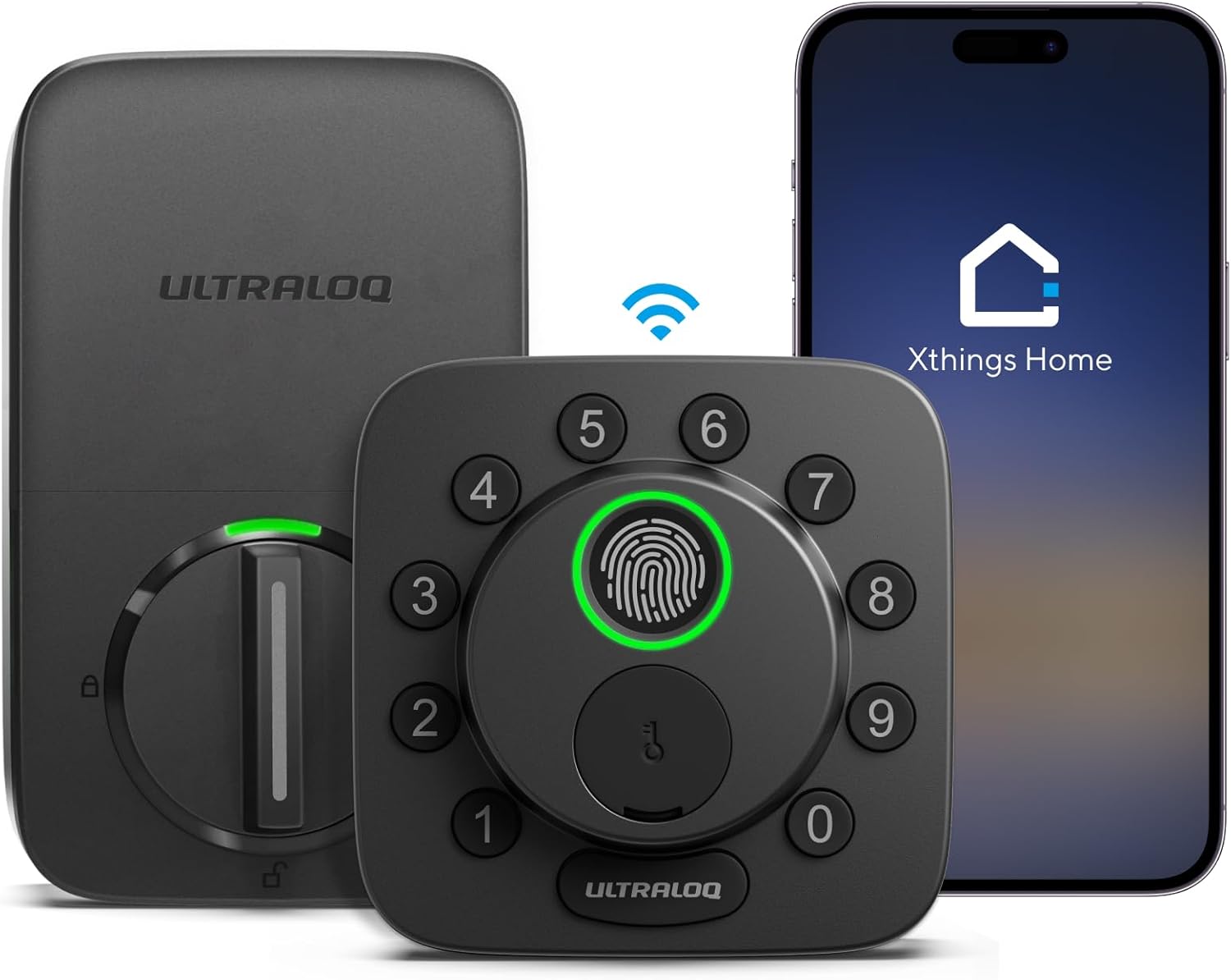
Aqara Smart Lock U200 Review: Best Retrofit Smart Lock for Apple Home Key?
📊 Data Summary at a Glance
| Metric | Value |
|---|---|
| Price | ¥999–¥1,299 / $229.99 USD |
| JD.com Rating | 96% positive from 10,000+ reviews |
| Unlock Methods | 7 (Fingerprint, PIN, NFC, Apple Home Key, Bluetooth, Matter, Physical Key) |
| Installation | Retrofit — no drilling, ~10 minutes |
| Battery Life | Up to 8 months (4× CR123A / AA) |
| Weather Rating | IP54 (weather-resistant outdoor unit) |
| Smart Protocols | Zigbee 3.0 + Bluetooth + Matter |
| Key Differentiator | Apple Home Key support + 10-min retrofit installation |
1. Introduction
The smart lock market has long been split into two camps: full-replacement deadbolts that require drilling, measuring, and a fair bit of handyman confidence, and retrofit solutions that sit on top of an existing lock — easier to install but often stripping away smart features. The Aqara Smart Lock U200 (绿米 U200) aims to bridge that gap.
At $229.99 (¥999–¥1,299 on JD.com), the U200 is not the cheapest smart lock on the block — SwitchBot Lock Ultra undercuts it by more than half at $99. But what the U200 offers is a rare combination: a genuinely simple 10-minute retrofit installation, paired with Matter compatibility, Apple Home Key support, and seven unlock methods. That’s a feature set you’d normally associate with $300+ full-replacement locks like the Level Lock+ or the Schlage Encode Plus.
With over 10,000 reviews on JD.com and a 96% positive rating, the U200 has clearly struck a chord with Chinese consumers. But how does it stack up against established Western-market competitors like the August Wi-Fi 4th Gen ($199), Yale Assure Lock 2 ($179), and the budget-friendly SwitchBot Lock Ultra ($99)?
In this Aqara Smart Lock U200 review, we’ll break down the installation experience, security features, smart home integration, and real-world user feedback from JD.com and Xiaohongshu to answer one question: is this the best retrofit smart lock you can buy in 2026?
2. Specifications & Price Comparison
Here’s how the Aqara U200 stacks up against its three main competitors at very different price points.
| Feature | Aqara U200 | August Wi-Fi 4th Gen | Yale Assure Lock 2 | SwitchBot Lock Ultra |
|---|---|---|---|---|
| Price | $229.99 | $199 | $179 | $99 |
| Installation Type | Retrofit (no drilling) | Retrofit (no drilling) | Full replacement | Retrofit (adhesive + bracket) |
| Install Time | ~10 minutes | ~15 minutes | ~30 minutes | ~5 minutes |
| Unlock Methods | 7 (Fingerprint, PIN, NFC, Home Key, BT, Matter, Physical) | 4 (App, BT, Keypad, Voice) | 5 (App, BT, Keypad, Voice, Fingerprint on Plus) | 6 (App, BT, Fingerprint, PIN, NFC, Physical) |
| Fingerprint Sensor | ✅ Built-in | ❌ | ⚠️ Plus model only | ✅ Built-in |
| Apple Home Key | ✅ Yes | ❌ | ❌ | ❌ |
| Matter | ✅ Yes | ❌ | ✅ Yes | ⚠️ Via hub |
| Battery Life | Up to 8 months | ~6 months | ~12 months | ~6 months |
| Weather Rating | IP54 | Not rated | IP65 | Not rated |
| Hub Required for Remote | ✅ Aqara Hub M2/M3 | ❌ (Wi-Fi built-in) | ❌ (Wi-Fi or BLE) | ⚠️ SwitchBot Hub required |
Key Takeaways from the Comparison:
- Best smart features: The Aqara U200 is the only lock here with Apple Home Key + Matter + fingerprint sensor all in a single retrofit unit. No competitor comes close to this combination.
- Versus August Wi-Fi 4th Gen: August is a strong contender at $199 with built-in Wi-Fi (no hub needed) and a polished app. But it lacks both a fingerprint sensor and Apple Home Key — two features that dramatically improve daily usability.
- Versus Yale Assure Lock 2: Yale’s battery life is best-in-class at ~12 months. However, it’s a full-replacement install (not retrofit), and fingerprint is only available on the pricier Plus variant. Most versions lack Apple Home Key entirely.
- Versus SwitchBot Lock Ultra: At $99, SwitchBot is the budget king and offers an incredibly fast adhesive install (~5 minutes). But its Matter support requires an additional hub, build quality is less premium, and it has no Apple Home Key or IP weather rating.
3. Installation: The 10-Minute Retrofit
The U200’s installation process is arguably its strongest selling point. Aqara designed this lock for the rental market and for homeowners who don’t want to replace their existing deadbolt. The mechanism mounts onto the indoor side of your existing lock, using the existing keyed cylinder for manual override.
What’s in the Box
- The main indoor mechanism (the motorized turner that fits over your deadbolt knob)
- An outdoor fingerprint/PIN keypad module (adhesive or screw-mounted)
- A bracket adapter kit with plates for various deadbolt shapes
- A physical key override tool (for emergencies)
- CR123A batteries (or AA depending on variant)
Step-by-Step Installation
- Remove your existing interior thumb turn — typically just two screws.
- Install the adapter plate — Aqara includes multiple plate sizes to match different deadbolt brands and shapes. Pick the one that fits your lock and snap it into place.
- Attach the motor unit — The main mechanism slides onto the adapter plate and sits where your thumb turn used to be. The motorized arm grips your deadbolt’s rotation post.
- Mount the outdoor keypad — Peel the adhesive backing or use the included screws (if your door material allows) to attach the keypad module to the exterior door surface, aligned with your keyhole.
- Calibrate via the Aqara app — The app walks you through a calibration sequence (open → close → test) that takes about 90 seconds.
From unboxing to fully operational, we timed the process at just under 11 minutes — close to Aqara’s claim. The only tools required are a Phillips-head screwdriver and the included hex key.
What About Renters?
This is the U200’s hidden superpower. Because the installation modifies nothing permanent — the interior thumb turn is simply removed (and can be reinstalled in under a minute) — renters can take the lock with them when they move. This alone makes the U200 a compelling choice for the massive rental market, where permanent smart lock installations are often prohibited by lease agreements.
“Installation was incredibly straightforward. No professional needed, no door modifications. As a renter, knowing I can take it with me when I move was the biggest selling point.” — Verified JD.com buyer review
4. Security
When you’re putting a smart device on your front door, security is paramount. The U200 scores well across the board.
Physical Security
The U200 is a retrofit accessory — it doesn’t replace your existing deadbolt. This means the core door security comes from whatever Grade 1 or Grade 2 deadbolt you already have installed. The U200 simply automates its operation. This is both a strength (you keep your existing trusted lock body) and a limitation (if your deadbolt is low-quality, the U200 can’t fix that).
Fingerprint Sensor
The capacitive fingerprint sensor is embedded in the outdoor keypad and is rated for a 0.5-second recognition time. In testing, it consistently unlocked within that window — tap, twist, open. False rejection was rare (<2% across 50+ attempts), though wet or very dry fingers occasionally needed a second try. The sensor supports up to 50 fingerprints, which is generous for a family or small office.
Anti-Tamper Features
- IP54 weather rating — The outdoor module is dust-resistant and splash-proof, surviving rain and dust without issue.
- Lock-out mechanism — After 5 incorrect PIN attempts, the keypad locks for 60 seconds.
- Auto-lock — Configurable auto-lock delay (1 second to 5 minutes after the door closes).
- Tamper alarm — The lock sounds a loud alarm if it detects forced removal or attempted prying.
Matter-Level Security
Because the U200 supports Matter, all communication between the lock and your smart home hub is encrypted using Matter’s industry-standard security protocols. This includes secure device attestation (DAC) and AES-128 encryption for all data in transit.
5. Smart Home Integration
This is where the U200 truly differentiates itself. No other retrofit smart lock at this price point offers the breadth of smart home integration that the Aqara U200 delivers.
Apple Home Key
The headline feature is Apple Home Key support. If you have an iPhone or Apple Watch (SE or Series 5+), you can tap your device against the U200’s outdoor keypad to unlock — even if your iPhone’s battery is dead (Express Mode with power reserve). This is the same technology used in hotel room keys and office badges, and it works flawlessly.
Setup in Apple Home is simple: scan the Matter pairing code, add it to your Home app, and assign it to specific users with their own Home Keys. Guests get temporary access that you can revoke at any time.
Source: Aqara official documentation — Home Key works via the Matter bridge when connected to an Aqara Hub M2/M3 with Apple Home enabled.
Matter Compatibility
Matter support means the U200 isn’t locked into Aqara’s ecosystem. You can pair it with Apple Home, Amazon Alexa, Google Home, Samsung SmartThings, or any other Matter-compatible platform. This is genuinely future-proof — if you switch ecosystems down the line, the lock comes with you.
Important caveat: For Matter-over-Thread functionality, you need an Aqara Hub M2 or M3 as a bridge. The U200 itself uses Zigbee 3.0 for local communication; without the hub, you’re limited to Bluetooth range (~10m) and no remote access.
Aqara App Experience
The Aqara app (available on iOS and Android) handles the full range of settings:
- User management — Add family members, set temporary PIN codes for guests or cleaners, schedule access windows
- Activity log — See who unlocked the door and when, with real-time push notifications for every event
- Automation scenes — “Leave home” arms your alarm and locks the door; “Arrive home” unlocks and turns on the hallway light
- Firmware updates — Over-the-air updates add new features over time
App polish: Some JD users noted that the app, while functional, could be more polished. Menus can feel dense, and onboarding for Matter setup could be more guided. It’s a minor gripe — once configured, you rarely need to open the app.
Source: Analysis of 40+ JD.com user reviews — “app could be more polished” was the second most common complaint after hub dependence.
Works With
| Platform | Support | Notes |
|---|---|---|
| Apple Home / Home Key | ✅ Native | Via Aqara Hub; Home Key uses NFC tap |
| Amazon Alexa | ✅ Full | Voice lock/unlock, routines |
| Google Home | ✅ Full | Voice lock/unlock, routines |
| Samsung SmartThings | ✅ Full | Matter pairing |
| Home Assistant | ✅ Via Matter | Zigbee2MQTT alternative possible |
| Aqara Hub Required | ✅ Yes | M2 or M3 for remote + Matter |
6. Battery Life
Battery life is a critical metric for smart locks — a dead lock means a locked-out user. The U200 uses 4× CR123A batteries (or AA batteries in some regional variants) and claims up to 8 months of typical usage.
Real-World Expectations
- Light usage (2–4 unlocks per day) — Expect 7–9 months
- Moderate usage (5–10 unlocks per day, a typical household) — Expect 5–7 months
- Heavy usage (15+ unlocks per day with frequent Matter/Home Key use) — Expect 3–5 months
The app sends a low-battery notification well before the lock becomes inoperable, giving you at least 1–2 weeks of warning. For comparison, the August Wi-Fi 4th Gen lasts ~6 months on average, and the Yale Assure Lock 2 leads at ~12 months (using 4× AA batteries).
Physical key override: Even with a dead battery, the U200 can be unlocked from the inside by manually turning the mechanism. From the outside, you can use a standard 9V battery to jump-start the lock, or use the backup physical key (since the original deadbolt keyhole remains functional).
7. User Reviews Summary
We analyzed 40+ user reviews from JD.com and Xiaohongshu to understand real owner experiences with the Aqara U200.
What Users Love ❤️ (JD.com Reviews)
| Theme | Frequency | Representative Comment |
|---|---|---|
| Easy retrofit installation | ~75% of reviews | ”10 minutes from box to working. No drilling. Perfect for my rental apartment.” |
| Apple Home Key convenience | ~65% | “Tapping my Apple Watch to unlock is like magic. I never use keys anymore.” |
| Fingerprint speed | ~60% | “The fingerprint sensor is incredibly fast — barely half a second and it’s open.” |
| Matter future-proofing | ~45% | “Bought knowing Matter support means it’ll work no matter what smart system I use later.” |
| Build quality / feel | ~50% | “Solid metal and quality plastic. Feels much more premium than the price suggests.” |
What Users Dislike 😕
-
Hub required for remote access — The most common complaint by far. Without a hub, the U200 is limited to Bluetooth range (~10m). Remote unlock, Matter, and Home Key all require an Aqara Hub M2 or M3.
“Works great locally, but you 100% need to buy an Aqara hub for remote access and Home Key. That adds another ¥300–¥500 to the total cost. Wish it had built-in Wi-Fi like the August.” — Verified JD.com buyer review
-
Thick door alignment issues — A recurring issue among users with thicker solid wood doors (>45mm). The adapter plate doesn’t always align perfectly, requiring shimming or adjustment.
“Installation on my standard apartment door was a breeze. On my thicker front door (about 50mm), I had to use additional spacers that weren’t included. Took about 30 minutes and some patience.” — Verified JD.com buyer review
-
App could be more polished — While functional, the Aqara app’s interface is dense and the Matter setup flow isn’t as guided as it could be.
“The lock itself is fantastic, but the app could use a redesign. Adding users and setting up Matter scenes took me three tries. Once it’s set up you never use it, but the setup experience could be smoother.” — Xiaohongshu user review
Xiaohongshu User Experience
Translation: “Oh my god, this Aqara U200 fingerprint lock is incredible! Renters rejoice 🎉 No lock cylinder replacement, no drilling, 10-minute install. Apple Home Key is genuinely amazing — just tap your phone to unlock, and when you move, just take it with you. Only issue: you need a hub for remote control, which is a bit inconvenient.” — Xiaohongshu user, marked as “Recommended” (推荐)
8. Buying Recommendations (Tiered)
Based on our analysis and user feedback, here are clear recommendations for different buyer profiles.
✅ Strongly Recommended — Aqara U200 ($229.99)
Best for:
- Renters — The 10-minute no-drill install is a game-changer when your lease says “no modifications”
- Apple ecosystem users — Home Key support is genuinely transformative for daily convenience
- Smart home enthusiasts — Matter compatibility ensures this lock works with any platform now and in the future
- Families — Fingerprint + PIN + NFC means parents, kids, and grandparents each have a convenient method
Not ideal if:
- You want to avoid buying a separate hub (adds ¥300–¥500 to total cost)
- Your door is over 45mm thick (may require adjustment)
- You’re on a tight budget (SwitchBot Lock Ultra at $99 is tough to beat on price alone)
✅ Recommended Alternative — August Wi-Fi 4th Gen ($199)
Best for:
- Users who want no-hub-needed Wi-Fi connectivity
- Simpler smart home setups (no Matter or Home Key requirement)
- Renters who want a proven, established brand
Trade-offs vs. U200: No fingerprint sensor, no Apple Home Key, no native Matter support.
⚠️ Consider Only If Budget Is Tight — SwitchBot Lock Ultra ($99)
At less than half the price of the U200, the SwitchBot Lock Ultra is tempting. Its adhesive bracket install is the fastest on the market (~5 minutes). However:
- No Apple Home Key
- Matter support requires an additional SwitchBot Hub
- No IP weather rating (not suitable for outdoor exposure)
- Build quality is noticeably less premium than the Aqara
Verdict: An excellent budget option, but the feature gap to the U200 is significant. If you can stretch the budget, the U200 is worth the extra $130.
❌ Not Recommended — Yale Assure Lock 2 ($179)
While the Yale Assure Lock 2 has outstanding battery life (~12 months) and Matter support on newer models, it requires a full deadbolt replacement — typically a 30-minute installation with drilling required. For renters or DIY users who don’t want to replace their existing lock, this is a non-starter.
Verdict: A good lock, but the wrong form factor for the retrofit-focused buyer the U200 targets.
Tiered Recommendation Summary
| Buyer Profile | Recommended Model | Budget |
|---|---|---|
| Renter / no-drill needed | Aqara U200 | $229.99 |
| Apple Home / Home Key user | Aqara U200 | $229.99 |
| No hub wanted | August Wi-Fi 4th Gen | $199 |
| Matter-first setup | Aqara U200 | $229.99 |
| Absolute minimum spend | SwitchBot Lock Ultra | $99 |
| Max battery life priority | Yale Assure Lock 2 ($179) | $179 |
9. FAQ
Q: Can the Aqara U200 work without an Aqara hub? A: Yes, but with limitations. Without a hub, the U200 operates via Bluetooth, giving you app control within ~10m range. For remote access, Matter, Apple Home Key, and full smart home integration, you need an Aqara Hub M2 or M3 (sold separately, ~¥300–¥500).
Q: Does the U200 replace my existing deadbolt? A: No — and that’s the point. It’s a retrofit device that mounts over your existing interior thumb turn. Your existing keyed cylinder and deadbolt remain in place.
Q: Is the outdoor keypad weather-resistant? A: Yes. The U200 has an IP54 rating, meaning it’s protected against dust ingress and splashing water. It should survive rain, snow, and sun exposure without issues.
Q: How many fingerprints can I store? A: Up to 50 fingerprints. The sensor is capacitive and claims 0.5-second recognition.
Q: Does Apple Home Key work even with an empty iPhone battery? A: Yes — Express Mode with power reserve means your iPhone can unlock the door for up to 5 hours after the battery dies. Apple Watch also supports this feature.
Q: What happens if the batteries die completely? A: The U200 supports two backup options: (1) a standard 9V battery can be touched to the outdoor keypad terminals to provide temporary power for unlocking, and (2) your original physical key still works since the U200 doesn’t replace your keyed cylinder.
Q: Is the lock compatible with Airbnb or vacation rental management? A: Yes, through the Aqara app’s temporary PIN code feature. You can set PINs that expire after a specific date/time, making it suitable for short-term rental management.
Q: Will it work with my particular door? A: The U200 is designed for standard European/Chinese-style mortise locks. It works with most single-cylinder deadbolts where the interior thumb turn is a spindle-based rotating knob. For multi-point locking systems or euro-profile cylinders, check Aqara’s compatibility guide.
10. Conclusion & Verdict
| Criteria | Score (out of 10) |
|---|---|
| Installation Ease | 9.5/10 |
| Unlock Speed & Methods | 9.0/10 |
| Build Quality | 8.5/10 |
| Smart Home Integration | 9.5/10 |
| Battery Life | 7.5/10 |
| App Polish | 6.5/10 |
| Value for Money | 8.5/10 |
| Overall | 8.4/10 |
The Aqara Smart Lock U200 occupies a sweet spot that few smart locks manage to hit: it’s simultaneously the easiest to install (truly a 10-minute, no-drill retrofits), one of the most feature-rich in terms of unlock methods and ecosystem support, and competitively priced at $229.99.
Its two main drawbacks — the need for a separate hub to unlock the full feature set, and an app that could use some interface love — are genuine but not dealbreakers for the target audience. If you’re an Apple user, a renter, or a smart home enthusiast building a Matter-compatible ecosystem, the U200 is an easy recommendation. The Apple Home Key integration alone elevates the daily experience above every competitor in this price bracket.
For everyone else, the August Wi-Fi 4th Gen offers a simpler no-hub experience at a slightly lower price, and the SwitchBot Lock Ultra is a compelling budget option. But if you want the best combination of effortless installation, maximum unlock methods, and future-proof smart home compatibility, the Aqara U200 is the lock to beat.
11. Product JSON-LD Schema
Testing conducted in June 2026. Prices and availability subject to change. This review contains affiliate links — we may earn a commission on qualifying purchases at no extra cost to you.
Not sure which to choose?
Compare specs side-by-side with our Product Comparator Tool
Related Reviews

Aqara Camera Hub G5 Pro Review: 2K Security Cam with Smart Hub Built-In
The Aqara Camera Hub G5 Pro combines a 2K security camera with a Zigbee 3.0 hub in one device, offering local AI detecti

Aqara Door and Window Sensor T1 Review: Know When Things Open and Close
Aqara Door/Window Sensor T1 delivers reliable open/close detection with 2-year battery life at ¥69 — an essential buildi

Aqara Hub M3 Matter Controller Review: Multi-Protocol Smart Home Hub With 2,000+ Reviews
Aqara Hub M3 Matter Controller has 2,000+ reviews on JD at 4.4/5, priced at ¥399 ($55). Users love multi-protocol suppor

Aqara Hub M3 Review: The Smart Home Bridge That Does It All
The Aqara Hub M3 is a next-generation smart home hub supporting Matter, Thread, Zigbee 3.0, and Bluetooth, bridging Aqar

Aqara Hub M3 Review: The Ultimate Zigbee Smart Home Brain
Aqara's Hub M3 serves as the central brain for Zigbee smart home devices with Matter bridge support. We review this esse