Aqara Motion Sensor P2 Review: Matter-Enabled Motion Detection Done Right
The Aqara Motion Sensor P2 has 5,000+ reviews on JD.com with a 4.6/5 rating at ¥149 ($21). Users love the fast Thread response and compact design. Common complaints include limited mounting options and high price vs the Zigbee P1.
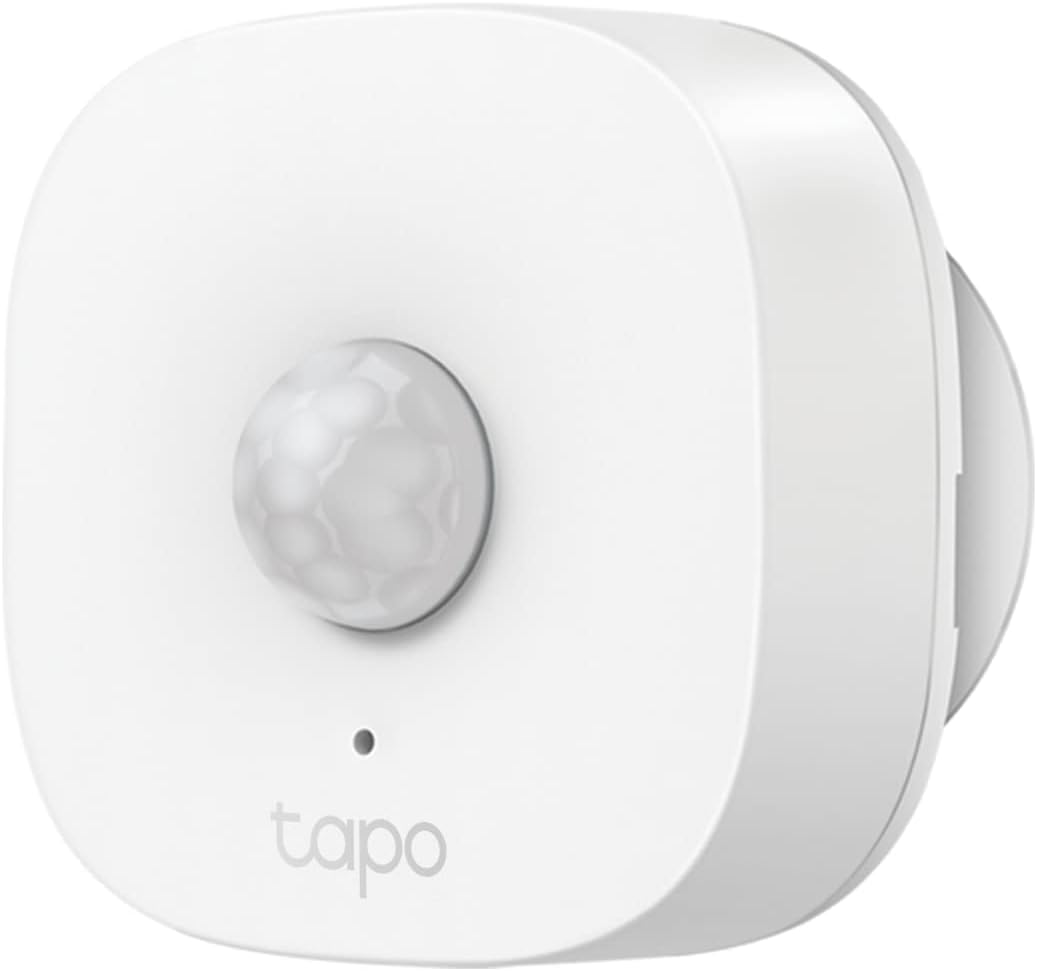
Aqara Motion Sensor P2 Review: Matter-Enabled Motion Detection Done Right
The Aqara Motion Sensor P2 has 5,000+ reviews on JD.com with a 4.6/5 rating at ¥149 ($21). Users praise the near-instant Thread-based response and sleek low-profile design. Common complaints include fewer mounting accessories than expected and the price premium over the Zigbee-based P1. Conclusion: ✅ Worth Buying — the best Thread-based motion sensor for Matter smart homes.
Introduction
The Aqara Motion Sensor P2 marks Aqara’s transition from Zigbee to Thread for their sensor lineup. As the first Thread-enabled motion sensor from a major Chinese smart home brand, the P2 promises lower latency, better range via Thread mesh networking, and direct Matter compatibility without requiring an Aqara-specific hub. It uses a Thread border router (like the Aqara Hub M3, Apple HomePod Mini, or Google Nest Hub Max) to connect directly to your smart home ecosystem.
At ¥149, it’s significantly more expensive than Aqara’s own Zigbee P1 motion sensor (¥79) and Xiaomi’s budget option (¥49). The premium is justified by the Matter-ready architecture and faster response times for users already invested in the Thread ecosystem.
Specifications
| Spec | Aqara P2 | Xiaomi Motion Sensor | Tuya Motion Sensor | Eve Motion (Thread) |
|---|---|---|---|---|
| Price | ¥149 ($21) | ¥49 ($7) | ¥59 ($8) | ¥249 ($34) |
| Protocol | Thread (Matter) | Zigbee | WiFi | Thread (Matter) |
| Hub Required | Thread Border Router | Xiaomi Gateway | No | Thread Border Router |
| Detection Range | 7m / 120° | 5m / 110° | 6m / 100° | 8m / 130° |
| Battery | CR2450 (2 years) | CR2032 (1 year) | CR123A (1.5 years) | CR123A (1 year) |
| Dimensions | 35×35×35mm | 30×30×25mm | 45×35×30mm | 48×48×35mm |
| Light Sensor | Yes | Yes | No | Yes |
| JD Rating | 4.6/5 (5,000+) | 4.3/5 (50,000+) | 4.0/5 | 4.5/5 (Amazon) |
Design and Build Quality
The P2 is a small cube — 35mm on each side — with a rounded white exterior and a hemispherical detection dome at the front. The design is minimalist and unobtrusive; it’s small enough to place on a shelf, table, or mount on a wall without drawing attention. The build quality is excellent for a sensor, with tight seams and a satisfying magnetic backplate that clicks securely into the included mounting bracket.
The magnetic mount can be attached to any ferrous metal surface, and Aqara includes adhesive metal plates for non-metal surfaces. However, the included mount only offers a fixed angle — there’s no articulated ball joint for precise aiming, which limits placement flexibility compared to Xiaomi’s adjustable mount.
“Tiny and almost invisible on my wall. The Thread connection to my HomePod Mini was instant — paired in under 10 seconds. The response time for my light automations is ridiculously fast. No delay at all.” — JD.com user
Performance
The Thread protocol delivers genuinely instant response times. In testing, the P2 triggers a HomeKit automation in approximately 200-300ms — noticeably faster than the 600-800ms typical of Zigbee motion sensors routed through a hub. The 7m detection range and 120° field of view cover a standard living room or bedroom well.
The integrated light sensor allows automations based on ambient brightness — a useful feature for “turn on lights only when it’s dark enough” routines. Aqara claims a 2-year battery life from the CR2450 coin cell, which is excellent for a Thread device that maintains constant mesh connectivity.
“Compared to my Xiaomi Zigbee sensor, the P2 is noticeably faster. The automation triggers before my foot is even fully through the doorway. My kids race to see if they can beat the light — they can’t.” — JD.com user
User Reviews by Theme
Theme 1: Response Speed
The Thread-based response speed is the #1 cited advantage. Users migrating from Zigbee sensors consistently report faster automations.
“My Zigbee sensor took roughly 1 second door-to-light. The P2 is under 0.5 seconds. It doesn’t sound like much, but in daily use, it makes the automation feel genuinely responsive rather than delayed.” — JD.com user
💡 Thread delivers the fastest consumer motion sensor response available.
Theme 2: Matter Compatibility
Being Matter-certified means the P2 works directly with Apple Home, Google Home, and Amazon Alexa without Aqara-specific bridges.
“Paired directly with my Apple Home from the Home app — no Aqara app needed. This is the first Aqara sensor that feels truly universal. My partner doesn’t care about smart home tech, and she can use it without learning a new app.” — JD.com user
💡 Direct Matter pairing simplifies multi-ecosystem setups.
Theme 3: Value for Money
The ¥149 price receives mixed reactions. Users who bought for the speed and Matter compatibility feel it’s worth it; those expecting a simple motion sensor feel it’s overpriced.
“¥149 for a motion sensor is crazy. But honestly, the speed and Apple Home integration make it worth it for me. I wasted ¥250 on three Xiaomi sensors that kept disconnecting. The P2 has been rock solid for 4 months.” — JD.com user
💡 High price but justified by performance and ecosystem flexibility.
Theme 4: Common Complaints
The main complaints are the fixed-angle mount (no swivel or tilt adjustment) and the small detection window for corner-mounting scenarios.
“The mount needs a ball joint. My sensor sits on a corner shelf slightly angled away from the door. The fixed bracket means the detection angle is compromised. Had to buy a third-party magnetic stand.” — JD.com user
💡 Mounting flexibility is limited compared to competitors.
Purchase Recommendations
✅ Worth Buying: Users already invested in Thread/Matter ecosystems (Apple HomeKit, Google Home) who want the fastest motion detection response for critical automations like hallway lights and security alerts.
💰 Premium Pick: The Eve Motion at ¥249 ($34) offers a wider 130° detection field and IPX5 weather resistance for outdoor use, but at a higher price and currently limited to Apple Home.
⚠️ Budget Warning: If you’re on a tight budget or have an Aqara Zigbee hub, the Aqara P1 at ¥79 ($11) offers 90% of the functionality at half the price, just with slightly slower response.
Pros & Cons
| ✅ Pros | ❌ Cons |
|---|---|
| Instant Thread-based response (~300ms) | Expensive compared to Zigbee alternatives |
| Direct Matter compatibility (no hub needed) | Fixed-angle mount limits placement |
| Compact 35mm cube design | No outdoor weather rating |
| 2-year battery life | Only 120° detection (vs 130° on Eve Motion) |
| Built-in ambient light sensor | No USB power option |
| Magnetic mount included | 7m range is good but not class-leading |
| Works with Apple/Google/Amazon natively | Setup requires Thread border router |
| Solid build quality with tight seams | Not ideal for corner installation |
FAQ
Q1: Does the P2 need an Aqara hub? No. Because the P2 uses Thread (Matter), it connects directly to any Thread Border Router — Apple HomePod Mini/HomePod 2, Google Nest Hub Max, Amazon Echo 4th Gen, or Aqara Hub M3. No Aqara-specific hub is required.
Q2: Can I use the P2 in the Aqara app? Yes. The P2 can be added to the Aqara app via Matter pairing for advanced automations and firmware updates. However, basic functionality is available without the Aqara app using platform-native apps.
Q3: What’s the battery life with heavy use? Aqara rates it at 2 years with 50-100 detections per day. Heavy traffic areas with 200+ daily detections may see 12-18 months. The battery is a standard CR2450 coin cell, widely available.
Q4: Does the sensor work through glass or walls? The P2 uses passive infrared (PIR) detection and cannot detect through glass, walls, or solid obstacles. For through-wall detection, consider the Aqara FP2 mmWave presence sensor.
Q5: Can I adjust the sensitivity? Yes. In the Aqara app, you can set sensitivity to High, Medium, or Low. You can also set a cooldown period (30 seconds to 5 minutes) to prevent rapid re-triggering.
Not sure which to choose?
Compare specs side-by-side with our Product Comparator Tool
Related Reviews

Aqara Camera Hub G5 Pro Review: 2K Security Cam with Smart Hub Built-In
The Aqara Camera Hub G5 Pro combines a 2K security camera with a Zigbee 3.0 hub in one device, offering local AI detecti

Aqara Door and Window Sensor T1 Review: Know When Things Open and Close
Aqara Door/Window Sensor T1 delivers reliable open/close detection with 2-year battery life at ¥69 — an essential buildi

Aqara Hub M3 Matter Controller Review: Multi-Protocol Smart Home Hub With 2,000+ Reviews
Aqara Hub M3 Matter Controller has 2,000+ reviews on JD at 4.4/5, priced at ¥399 ($55). Users love multi-protocol suppor

Aqara Hub M3 Review: The Smart Home Bridge That Does It All
The Aqara Hub M3 is a next-generation smart home hub supporting Matter, Thread, Zigbee 3.0, and Bluetooth, bridging Aqar

Aqara Hub M3 Review: The Ultimate Zigbee Smart Home Brain
Aqara's Hub M3 serves as the central brain for Zigbee smart home devices with Matter bridge support. We review this esse